

Are Your AI Data Safe? The Risks of Using Chrome Extensions

Overview
Urban VPN Proxy, with the "Featured" badge on the Chrome Web Store and over 6 million downloads, initially sounds like a "hero" protecting privacy: hiding IP, blocking tracking, and even featuring "AI protection" to warn about data-sharing risks with AI.
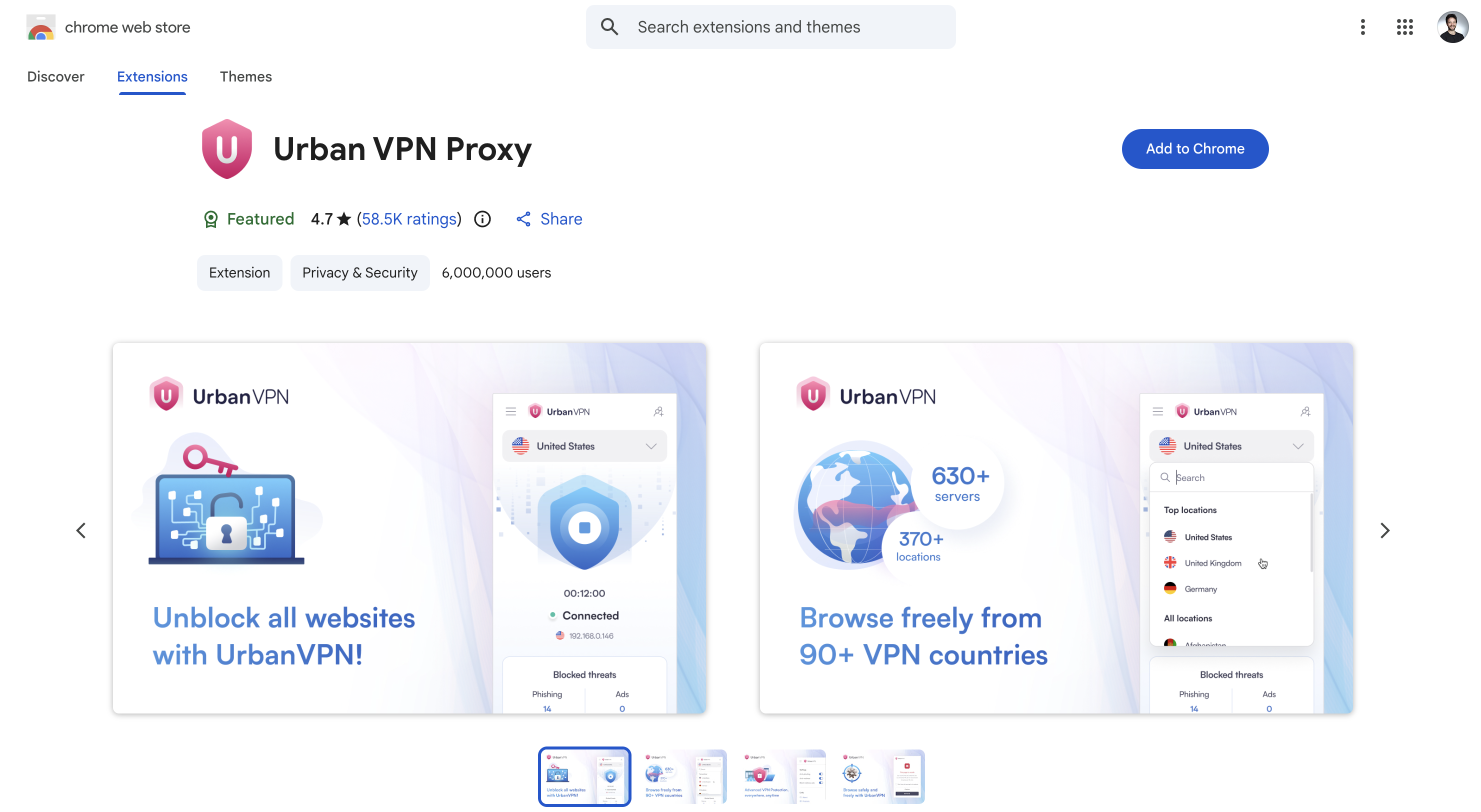
But from the 5.5.0 update in July 2025, everything changed. This extension secretly "blocked" and sent users' AI chat data to remote servers without explicit permission. This incident not only exposed a flaw in Google's review system but also highlighted the risks as users increasingly rely on AI tools like ChatGPT or Google Gemini to handle personal information.
Details
Urban VPN Proxy, along with other extensions from the same developer like 1ClickVPN Proxy, Urban Browser Guard, and Urban Ad Blocker (totaling over 8 million installs), was initially advertised as a tool to protect privacy by hiding IP and blocking tracking. However, from the 5.5.0 update on July 9, 2025, they secretly integrated a feature to collect AI chat data without clearly informing users.
The AI data collection feature similarly appeared in other extensions from the same publisher, on both Chrome and Edge.
Chrome Web Store:
Urban VPN Proxy - 6,000,000 users
1ClickVPN Proxy - 600,000 users
Urban Browser Guard - 40,000 users
Urban Ad Blocker - 10,000 users
Microsoft Edge Add-ons:
Urban VPN Proxy - 1,323,622 users
1ClickVPN Proxy - 36,459 users
Urban Browser Guard - 12,624 users
Urban Ad Blocker - 6,476 users
\=> Total affected users: Over 8 million users.
Specifically, the extension uses custom JavaScript scripts (like chatgpt.js or gemini.js) to override the browser's network APIs, including fetch() and XMLHttpRequest(). Whenever users access popular AI platforms like OpenAI ChatGPT, Anthropic Claude, Microsoft Copilot, Google Gemini, xAI Grok, Meta AI, or Perplexity, the entire chat content from prompt (question) to response, along with timestamp, metadata, and identifier, is intercepted and sent to two remote servers: analytics.urban-vpn[.]com and stats.urban-vpn[.]com.
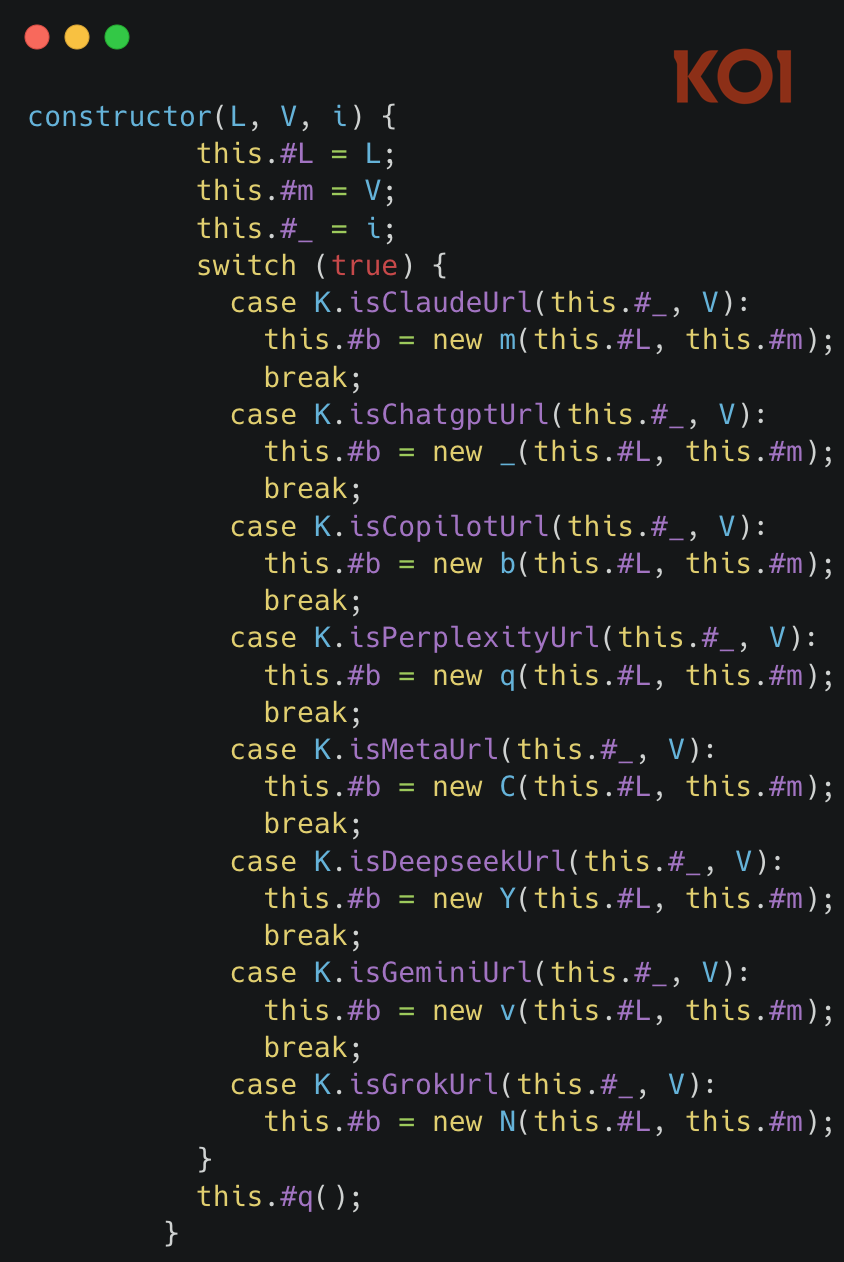
AI platforms being collected:
ChatGPT
Claude
Gemini
Microsoft Copilot
Perplexity
DeepSeek
Grok (xAI)
Meta AI
What's concerning is that the "AI protection" feature is promoted to warn users about the risks of sharing personal data with AI, but in reality, data collection occurs regardless of whether you enable this feature or not. The developer, Urban Cyber Security Inc., linked to the company BIScience, exploits the "Limited Use" policy of the Chrome Web Store to justify this behavior, claiming that the data is only used for "safe browsing" and marketing purposes.
The consequences of this incident go beyond privacy violations and could lead to bigger risks. With over 8 million users affected (mostly on Chrome and Edge), the collected data could include sensitive information like medical, financial, or business secrets—things users often share with AI for advice. Although the developer claims to "anonymize" the data, there's no evidence ensuring personal information isn't fully exposed. In reality, this raw data could be sold to advertisers or even fall into the hands of bad actors, leading to phishing attacks, social engineering, or even large-scale data leaks.
From a business perspective, this undermines trust in marketplaces like the Chrome Web Store, where "Featured" extensions are supposed to be strictly vetted. Individual users may face direct risks, while businesses using AI for internal work could inadvertently expose strategic information. If unchecked, this model could encourage other developers to copy it, turning browsers into a "backdoor" for surveillance capitalism.
IOCs
Exfiltration Servers: analytics.urban-vpn[.]com and stats.urban-vpn[.]com – monitor traffic to these domains to detect unusual activity.
Related Domain: sclpfybn[.]com, commonly used to transmit clickstream data from BIScience.
Extension IDs (Chrome):
Urban VPN Proxy: eppiocemhmnlbhjplcgkofciiegomcon
Urban Browser Guard: almalgbpmcfpdaopimbdchdliminoign
Urban Ad Blocker: feflcgofneboehfdeebcfglbodaceghj
1ClickVPN Proxy: pphgdbgldlmicfdkhondlafkiomnelnk
Extension IDs (Edge):
Urban VPN Proxy: nimlmejbmnecnaghgmbahmbaddhjbecg
Urban Browser Guard: jckkfbfmofganecnnpfndfjifnimpcel
Urban Ad Blocker: gcogpdjkkamgkakkjgeefgpcheonclca
1ClickVPN Proxy: deopfbighgnpgfmhjeccdifdmhcjckoe
Recommendations
FPT Threat Intelligence offers several recommendations to enhance the ability to protect personal data and apply effective preventive measures to minimize risks from the above threat:
Immediate Removal: Go to the extension management section on Chrome/Edge (chrome://extensions/ or edge://extensions/), find and delete all related extensions. Assume all AI chats since July 2025 have been exposed, change passwords, and check sensitive accounts.
Thorough Inspection: Before installing any extension, read the privacy policy in detail—avoid those vague about "Web Browsing Data," including AI chats. Disable auto-update for untrustworthy extensions.
Protection Tools: Use antivirus software like Malwarebytes, ESET, or Kaspersky to scan for malicious extensions. Businesses should apply a zero-trust model: limit extensions, monitor traffic, and use proxies to block suspicious domains.
Safe AI Usage Habits: Switch to Incognito mode when using AI chats; avoid sharing sensitive information; use standalone AI apps instead of the web if possible. Regularly update browsers to patch vulnerabilities.




