A Fake Meta Interview Slot: Cloned Calendly Pages That Take the Password and the 2FA Code in Real Time
Summary
Malwarebytes found a wave of websites posing as Calendly booking pages for job interviews at Meta. Visitors pick a slot for a 30-minute phone call with a "recruiter", fill in their details, pass what looks like a CAPTCHA, and are then asked to log in to Facebook. After that, the page asks for the Google account too, supposedly "for security".
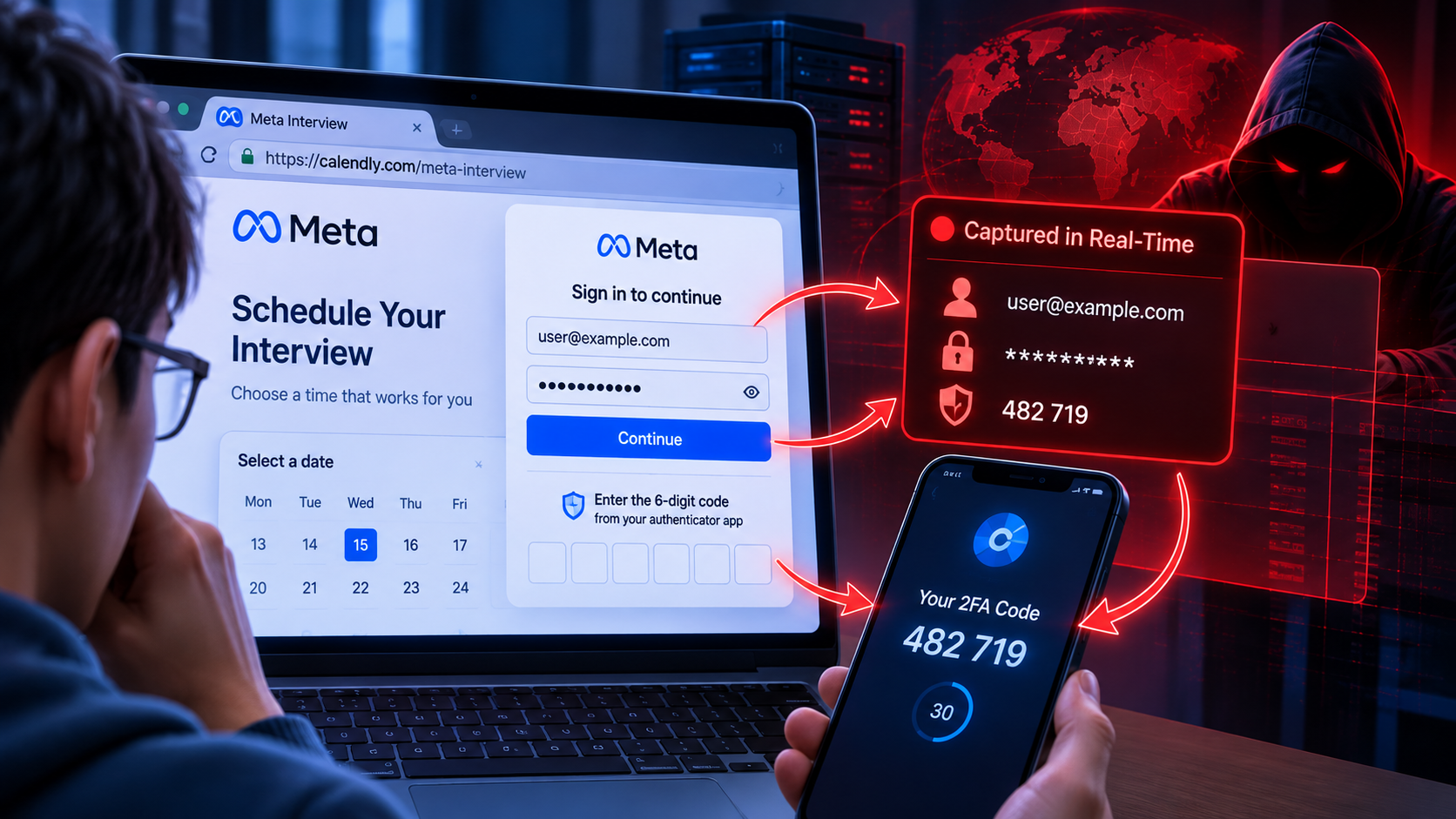
What makes this campaign worth studying is not the fake page but that it does not stop once it has the password. The page keeps checking in with the attackers' server to be told which screen to show next, while the attackers sign in to the real Facebook and Google behind the scenes. The 2FA code the victim types is used before it expires.
Priority actions:
- Move to passkeys or hardware security keys for Facebook Business accounts, Google Workspace, and anyone administering a company page or ad account. It is the only control here that cannot be relayed this way.
- Investigate immediately if an employee entered details on an interview booking page: change the password from a trusted device, sign out all sessions, check Gmail forwarding rules, and review admin rights on company pages.
Why Calendly Makes a Convincing Disguise
Calendly is a widely used scheduling tool, and recruiters use it to book interviews. Clicking a booking link, picking a time, and typing in your name and email is something people do without a second thought: no account to create, nothing to download.
That routine is the disguise. By the time the page asks for something unusual, the visitor has already picked a slot and shared their details. Going along with one more step feels easier than starting to doubt the whole process they just went through.
There is a specific psychological angle too. For someone who has sent out application after application without hearing back, an invitation to interview at Meta is exactly what they are hoping for. Excitement, plus the fear of missing a rare chance, pushes people to move quickly instead of checking who actually sent the link.
And one more: job seekers are already used to sharing personal details with strangers. Handing your name, email and phone number to a recruiter you have never met is a normal part of applying, so a form asking for exactly that raises no alarms.
The Six-Step Chain
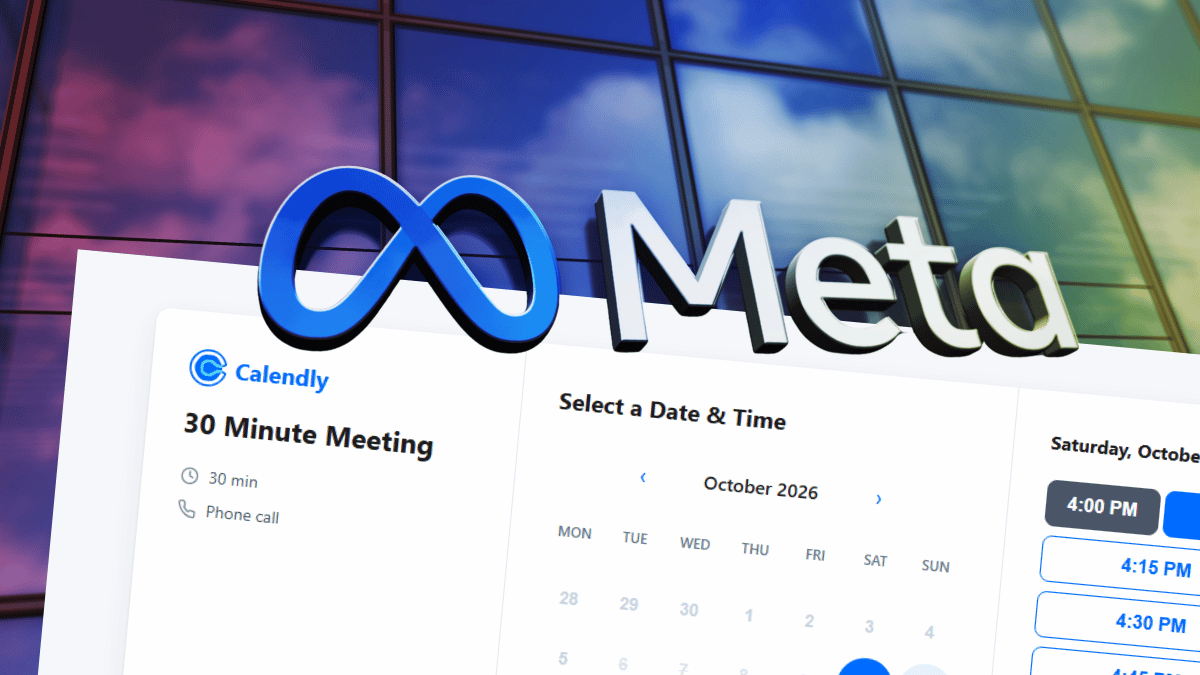
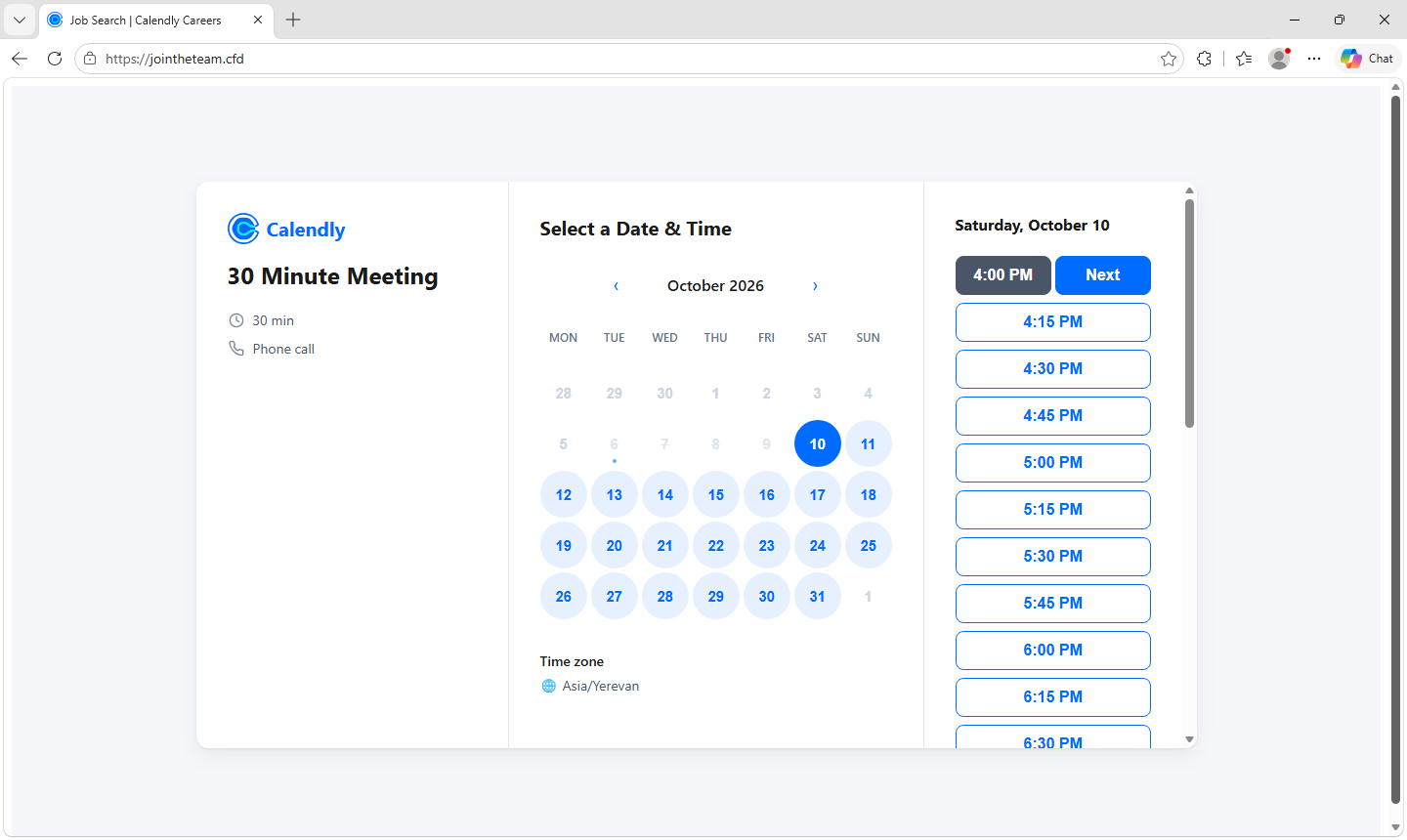
- The fake booking page. It copies Calendly's booking screen, titled "Calendly | Meta Careers", with a monthly calendar, a time zone picker and a 30-minute phone call. The notable detail: the available times are loaded from the attackers' server, so the calendar looks like a real recruiter's busy schedule.
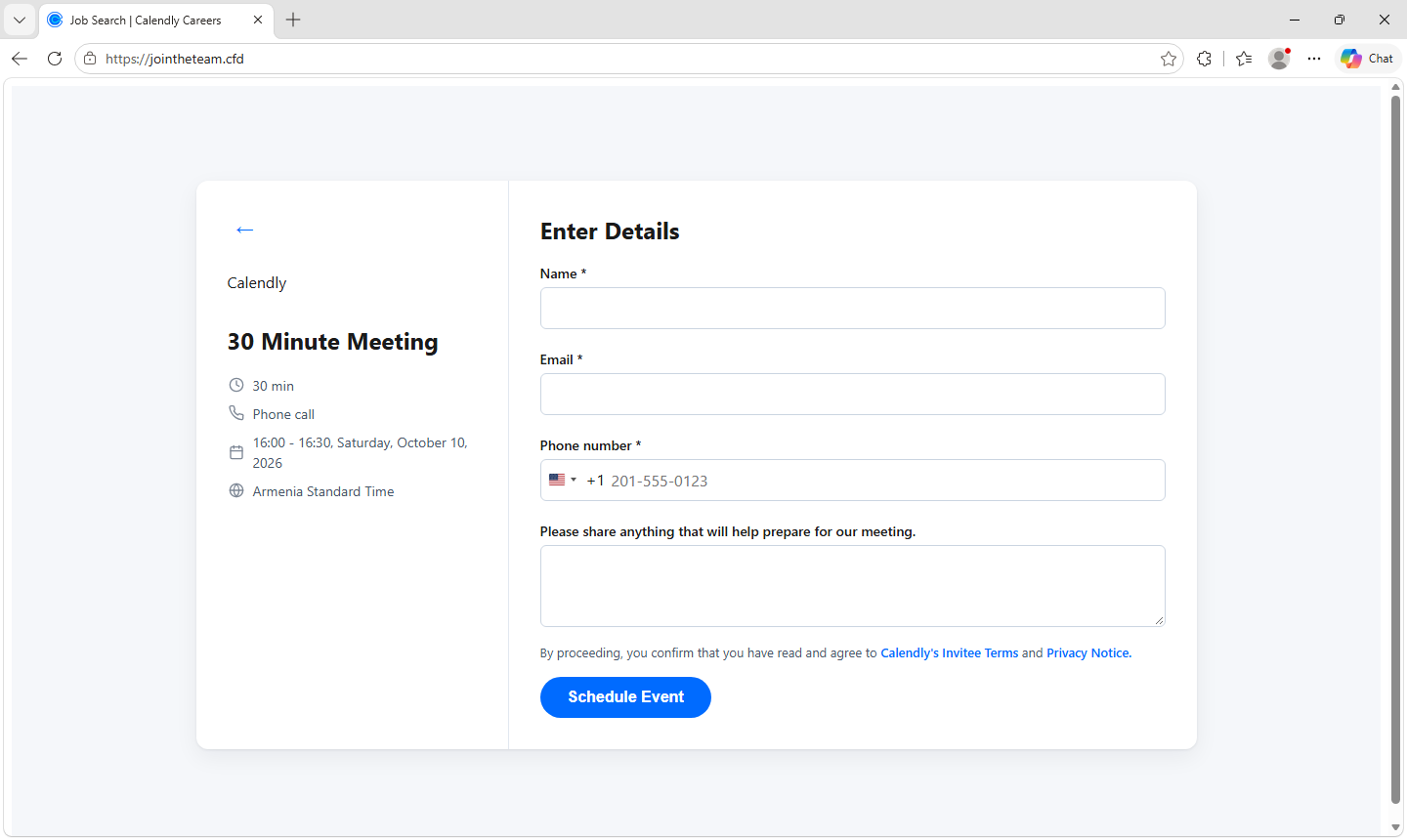
- The details form. Name, email address and phone number, plus anything that "will help prepare for our meeting".
- A fake CAPTCHA. A grid of images asking you to "Select all images with…". It makes the page feel legitimate, and it may also stop automated security scanners from seeing what comes next.
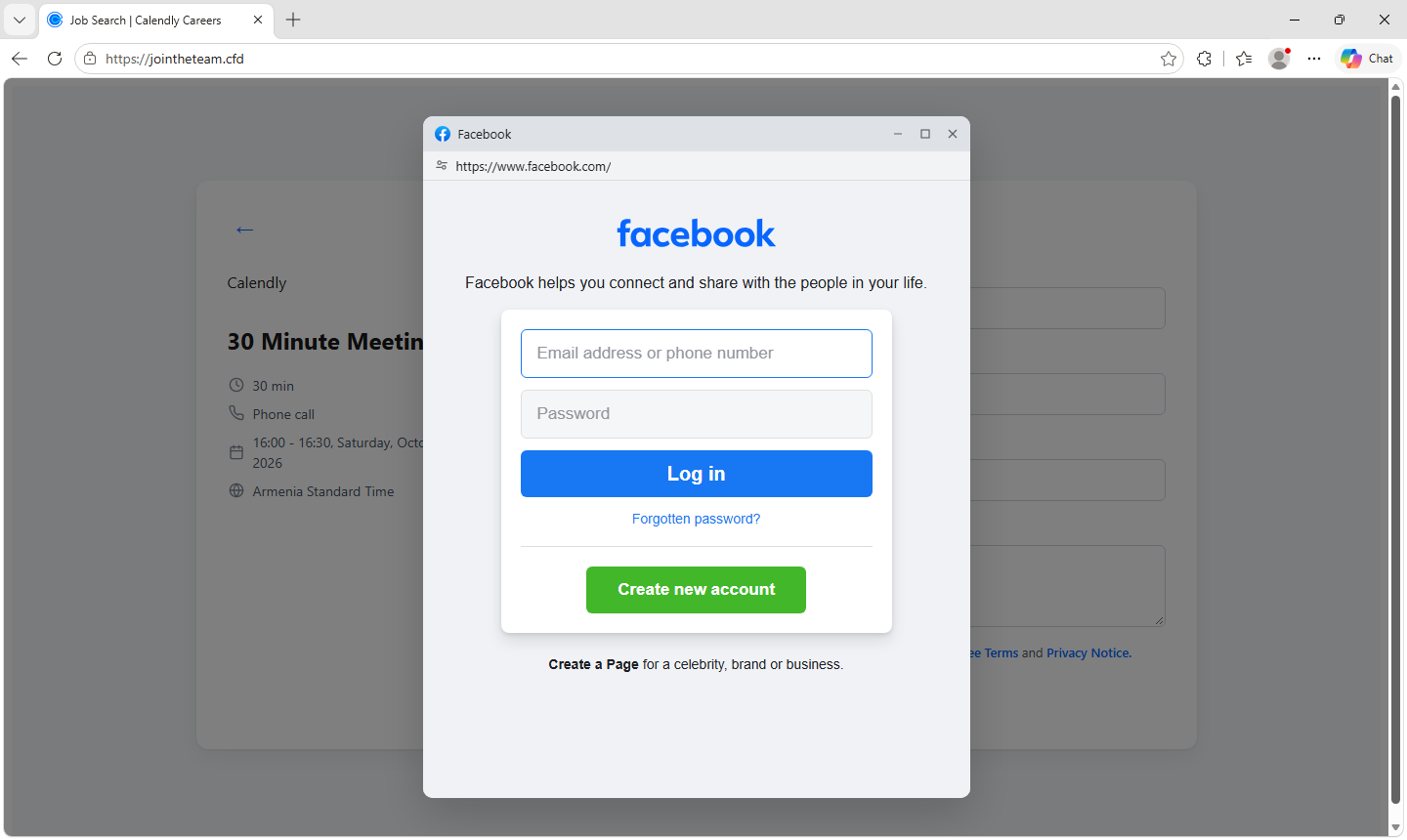
- A fake Facebook login. A window inside the page copies Facebook's login screen and draws its own address bar showing a Facebook web address, so it looks like a genuine browser pop-up. The copy includes realistic error messages such as "The login information you entered is incorrect." The page also invites the visitor to sign up for a "Career Profile".
- The Facebook security code. If the account has 2FA, the page asks for the code from an authentication app, text message, WhatsApp or email.
- The bridge to Google. The page claims "Facebook requires you to sign in to the Gmail address" on the account. To make the request seem harmless, it adds that "Facebook will not share any of your data with your Google Account." Fake Google screens, again under a self-drawn address bar, ask for the password and then whatever Google asks for: a tap on a phone prompt, a Google Authenticator code, a text message code, or the recovery email address.
Finally there is a fake confirmation: the page says a calendar invitation has been sent and that you will hear back within 90 minutes. As Malwarebytes puts it, by the time you start wondering, the attackers may already be inside your accounts.
How It Defeats 2FA: Hand-Orchestrated AiTM
Many phishing pages collect a password and stop. This one keeps going.
While the visitor is on the page, it keeps checking in with the attackers' server and waits to be told which screen to show next. That lets the attackers try the stolen password on the real Facebook site right away:
- If Facebook asks for a code, the fake page asks for that same code, and the attackers use it before it expires.
- If the code does not work, the page simply says "Incorrect code. Please try again."
- With Google, if a sign-in prompt is pushed to the victim's phone, the fake page tells them to "tap Yes" — approving the attackers' login.
The visitor sees the fake page while the attackers sign in to the real service out of sight.
None of this is an argument for turning 2FA off. Codes and phone prompts still make accounts far harder to take over, so keep them on. But a code entered into a fake page, or a prompt approved for someone else's login, still lets attackers in.
Passkeys and compatible hardware security keys are different, because they are tied to the genuine website, so a page like this cannot relay them. That protection disappears if the user instead falls back to a password-and-code method and hands those details over.
Signs of a Reusable Phishing Kit
Malwarebytes points to three features in the code showing this is not a one-off page:
- A version number,
0.8.0 - Detailed error logging
- A "campaign key" sent with every message to the attackers' server
Together those describe a kit with support for identifying different campaigns — built to run several waves at once and keep each wave's data apart.
The collection endpoint sits on AWS API Gateway in the Singapore region (ap-southeast-1). A comment left in the code is written in Vietnamese, translating to "Change the key here when deploying to production." Malwarebytes is careful and correct here: neither the hosting region nor the language of a code comment establishes who is behind the pages or where they operate, and this post keeps to that.
Infrastructure and Domain Naming
All 11 domains follow the same pattern: join plus a recruiting-sounding word — joinhire, joinquest, jointheteam — on three TLDs: .cfd, .info and .works.
The important part: none of them mention Calendly or Meta. That is deliberate, because such generic names can be reused for lures carrying another company's name without registering anything new.
Analysis
This is AiTM, done cheaply. Familiar AiTM kits such as Evilginx or Tycoon2FA run as reverse proxies, sitting in the middle and relaying the whole session. This kit is just a cloned page plus a control channel: the page asks the server which screen to show, and a human or script behind it signs in to the real service. The result is equivalent in defeating 2FA, but it costs far less to build and leaves a thinner infrastructure trail, because there is no proxy in the middle to expose.
The Facebook-to-Google bridge is the most worrying part. A Facebook account is already valuable, especially one attached to business pages or ad accounts. But a Google account is the password-reset key to nearly every other service registered with that address. The attackers understand this, and the "Facebook requires it" pretext exists purely to make that jump feel natural.
The fake CAPTCHA plays two roles at once. To the victim, it signals that the page is serious. To defenders, it is a barrier stopping automated scanners from seeing the later steps, so the page survives longer in URL-scanning systems.
The self-drawn address bar is an old technique that still works. This is browser-in-the-browser, and it works because users are taught to "check the address bar" without being taught to check the browser's own address bar. One simple tell from Malwarebytes deserves wider repetition: a login window that cannot be dragged outside the webpage is part of the page, not a browser window.
The domain naming reveals intent to expand. Eleven neutral domains across three cheap TLDs, none tied to a brand, means the same infrastructure can pivot to a recruiting lure for any other company by changing the page content alone.
Relevance to Vietnam
- Facebook accounts attached to business pages and ad accounts are a hot target in Vietnam. Hijacking a company page to run fraudulent ads, rename it, or extort the owner has been a familiar model for years. A campaign that captures both the password and the 2FA of a page admin is a direct threat to small and mid-sized businesses.
- Employees often use one Google account for both personal and work purposes. When that account falls, the risk does not stop at a personal inbox — it carries documents, calendars and every service registered with that address.
- Recruiting lures fit the current climate. A volatile tech job market makes an interview invitation from a major company something many people are waiting for.
- Vietnamese users are used to link-based scheduling. Calendly and similar tools are common in recruiting and consulting, so the flow raises no suspicion.
- One note for TI teams: the Vietnamese comment in the kit's code is worth recording while tracking this activity, but as Malwarebytes stresses, it is not enough to conclude anything about origin. Record it as an observation, not as an assertion to repeat.
Recommendations
For individual users
- Check the address, not the design. Direct Calendly booking links use
calendly.com, although legitimate forms can also be embedded on other sites. An unfamiliar recruiting domain is reason to verify the invitation independently. - Never give a booking page your Facebook password. Scheduling a call does not require handing your social media password to a recruiter.
- Look at your browser's real address bar. These fake login windows draw their own. If a login window cannot be dragged outside the webpage, it is part of the page, not a separate window.
- Verify both the recruiter and the role. Go directly to the company's official careers site. A genuine job listing does not prove the person contacting you represents that company.
- Do not share codes or approve unexpected prompts. Only enter a code on the genuine service, for a login you initiated yourself.
- Use passkeys or a security key wherever you can, and be wary when a page pushes you toward a password-and-code method instead.
For enterprise security teams
- Mandate passkeys or hardware keys for the high-risk account set: Google Workspace admins, company page admins, ad account managers. For that group, disable SMS fallback if policy allows.
- Add recruiting lures to awareness training. Most programmes focus on fake invoices and spoofed internal mail, while an interview invitation targets employees in an entirely different frame of mind.
- Monitor anomalous sign-ins on Google Workspace accounts right after a password change or a run of consecutive MFA challenges — that pattern is the trace of AiTM in progress.
- Periodically review page admin and ad account lists, removing rights for departed staff and personal accounts that no longer need them.
- Load the indicators below into web and DNS filtering, and consider monitoring cheap TLDs such as
.cfdseparately in access logs, where the abuse rate is high. - Have a response procedure ready when an employee reports entering details: change the password from a trusted device, sign out all sessions, review security methods plus recovery email and phone, check Gmail forwarding rules and filters, and change the password anywhere else it was reused.
IOCs
Per Malwarebytes' publication of 14/10/2026.
Phishing domains
joinconnect[.]cfd
joinconnect[.]works
joinhire[.]cfd
joinhire[.]info
joinquest[.]cfd
joinquest[.]info
joinquest[.]works
jointhetalent[.]cfd
jointhetalent[.]info
jointhetalent[.]works
jointheteam[.]cfd
Collection endpoint
rkrt01c0mc[.]execute-api[.]ap-southeast-1[.]amazonaws[.]com
Kit fingerprints
Kit version:    0.8.0
Parameter:      campaign key sent with every message to the server
Naming pattern: join<recruiting word> on .cfd / .info / .works
Page title:     "Calendly | Meta Careers"
Page behaviour: available time slots loaded from the attackers' server
                image-grid fake CAPTCHA before the login step
                login window drawing its own address bar (browser-in-the-browser)
                page polling the server to decide the next screen
References
- Malwarebytes (Stefan Dasic) — Fake Calendly "Meta Careers" pages steal Facebook and Google logins (14/10/2026): https://www.malwarebytes.com/blog/threat-intel/2026/10/fake-calendly-meta-careers-pages-steal-facebook-and-google-logins
Comments
Join the discussionNo comments yet. Be the first to comment.