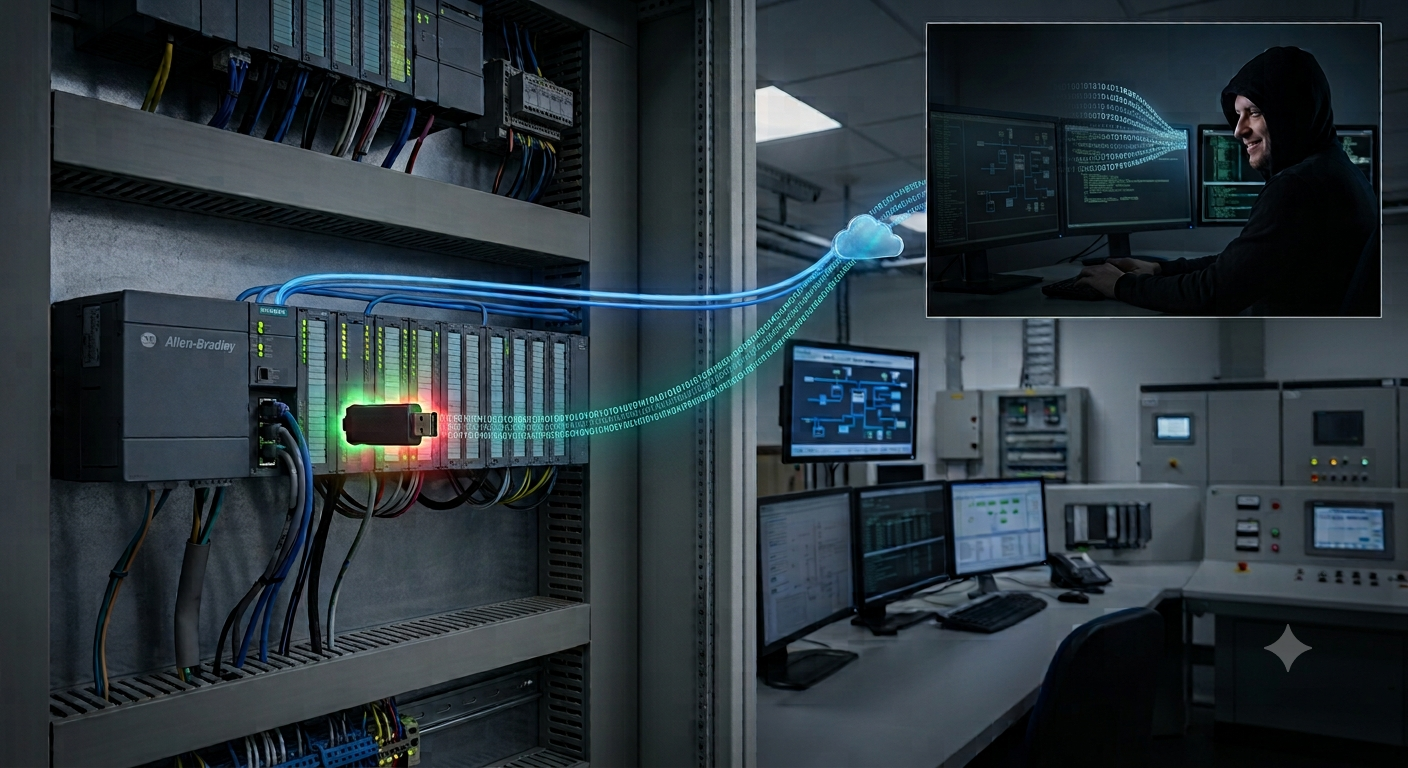
Settra: When Ransomware Uses Your Remote Management Tooling to Stay
Summary
Settra is a ransomware strain first observed in June 2026, operating a double-extortion model. Huntress states there is not enough evidence to call it a ransomware-as-a-service operation.
What is worth studying about Settra is not the encryption but the post-compromise phase. The operators install MeshAgent, a legitimate RMM tool, as their persistence channel; load a vulnerable driver to interfere with security software; then run a command chain that destroys Windows recovery options before encrypting. That whole phase uses built-in or legitimate tooling, leaving almost nothing for signature-based detection.
Priority actions:
Build an allowlist of approved RMM tools and alert on any RMM outside it, even when the binary is properly signed.
Forward event logs to the SIEM in real time. Settra clears 12 log channels on the victim host; forwarded logs are the only surviving copy.
The Two Incidents Huntress Analyzed
July 2026, a consumer services and retail organization. EDR detected MeshAgent renamed to mvtcs.exe. The next day, the ransomware executable ran from C:\Perflogs, encrypting data with a .locked extension and dropping a RESTORE_FILES.txt note.
September 2026, a manufacturing firm. The Huntress agent was installed while the intrusion was already underway, so analysts observed the later stages. This time MeshAgent kept its default name, the ransomware ran from the victim's Documents folder, and the extension was .locked_wip.
In both cases, initial access could not be determined. Other public reporting on Settra points to compromised VPNs and stolen credentials, but that is not what Huntress observed directly.

MeshAgent: A Legitimate RMM as the Control Channel
MeshAgent is the agent component of MeshCentral, an open-source remote management platform. Settra used it for persistence and control in both incidents:
| Incident | Filename | C2 |
|---|---|---|
| July | mvtcs.exe (renamed) |
45.13.122[.]7 |
| September | default name | 193.5.65[.]114 |
Using an RMM instead of a custom backdoor buys the attacker three things:
A legitimate, signed binary. No signature detections, and many organizations carve out exceptions for administration tooling.
Traffic that looks like normal administration. RMM control channels are designed to survive firewalls and proxies.
Cover among existing tooling. Almost every organization runs some RMM, especially where IT is outsourced. An unfamiliar agent is easily assumed to belong to a contractor. The implication for defenders: detection cannot rest on "is this malware" but on "is this tool authorized here".
BYOVD to Disable Host Defenses
In the September incident, the operators loaded gdrv.sys using a bring-your-own-vulnerable-driver technique, to interfere with running security software and crash antivirus services.
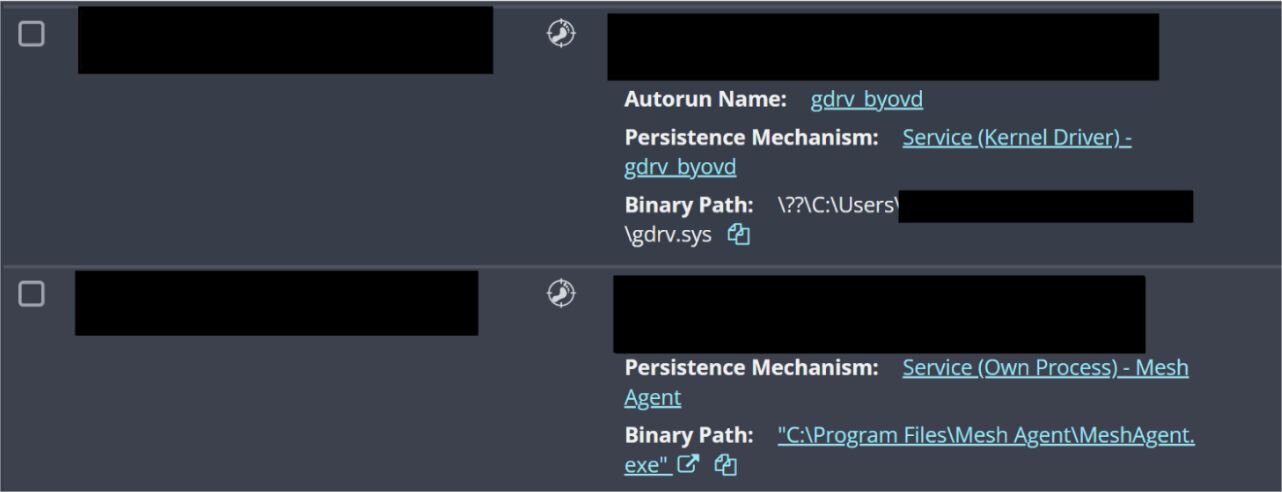
A driver runs in kernel space, so it can reach protected processes that ordinary admin rights cannot. That is why driver blocklists — Microsoft's Vulnerable Driver Blocklist or an EDR's own — should be explicitly enabled rather than left at defaults.
Destroying Recovery Options
The notable part is that these commands are embedded in the ransomware executable itself, not run from a separate script. The operator does not need to come back and type them.
| Command | Effect on the victim |
|---|---|
reagentc /disable |
Turns off the Windows Recovery Environment, closing off OS recovery |
diskpart (against a script) |
Removes the recovery partition, making in-place recovery impractical |
cipher /w:D:\ |
Overwrites free space, defeating forensic recovery of deleted files |
ipconfig /flushdns |
Clears the DNS cache, removing one investigative artifact |
The first three target recovery; the last targets investigation. For a SOC, reagentc /disable and cipher /w: essentially never appear in normal operations, which makes them excellent high-severity alerts.
Log Clearing, and One Typo
In the September incident, the operators attempted to clear 12 event log channels:
Application                                            Security
System                                                 Setup
ForwardedEvents
Microsoft-Windows-TerminalServices-LocalSessionManager/Operational
Microsoft-Windows-TerminalServices-RDPClient/Operational
Microsoft-Windows-Sysmon/Operational
Microsoft-Windows-PowerShell/Operational
Microsoft-Windows-WinRM/Operational
Microsoft-Windows-TaskScheduler/Operational
Microsoft-Windows-Defender/Operational
The list shows the operators know which evidence sources matter: Sysmon, PowerShell, WinRM, Task Scheduler and Terminal Services are what DFIR teams lean on most.
There is a notable slip, though: the last entry was mistyped as Microsoft-Windows-Windows-Defender/Operational. No such channel exists, the command failed, and the Windows Defender log survived. In an incident where everything else was wiped, that can be the only remaining source of evidence.
Encryption
The ransomware executable is named after the victim's own domain, with a _win64.exe suffix. That naming implies the payload is built per target, meaning the operators surveyed the environment before deploying.
Execution paths differed: C:\Perflogs in July, and the user's Documents folder in September. C:\Perflogs is a system directory that rarely holds legitimate executables, so any process running from there deserves immediate investigation.
The extension shifted from .locked to .locked_wip, while the ransom note kept the name RESTORE_FILES.txt.
Analysis
.locked_wip most likely marks an unfinished build. The "wip" suffix usually means work in progress. If so, the group deployed a development build into a live environment. Combined with the typo in the log list, the picture is a group moving fast with loose quality control.
That typo also says something about automation. The log list was typed by hand rather than generated from wevtutil el. For defenders, it is a reminder that operators still make mistakes, and that collecting logs immediately after an incident can salvage more than expected.
The workstation name WIN-LIVFRVQFMKO appears across earlier incidents. Huntress ties it to other cases predating these two. It is a cheap but effective indicator: if that unfamiliar workstation name shows up in your authentication or RDP logs, it is worth investigating.
Not knowing the entry point is the biggest gap. Neither incident yielded a confirmed initial access vector. For defenders, that rules out relying on any single control: VPN exposure, credential theft and MFA coverage all need attention at once.
Relevance to Vietnam
RMM is common in outsourced IT arrangements. Many Vietnamese organizations hand infrastructure to contractors, and each contractor brings its own tooling. In that setting, an unfamiliar RMM agent is easily waved off as someone else's.
Manufacturing is a familiar target class. Downtime costs are high, which raises the likelihood of payment, and Vietnam has a dense concentration of plants inside global supply chains.
Logs often live only on the endpoint. Many organizations do not forward event logs to a SIEM, or forward only part of them. When an attacker clears logs locally, investigative capability is largely gone.
VPNs remain the main door. With hybrid work, VPN accounts without MFA are still common.
Recommendations
Maintain an RMM allowlist and alert on any tool outside it, MeshAgent/MeshCentral in particular. Base alerts on behavior (an agent connecting to an unfamiliar IP) rather than filenames alone, since Settra renamed the binary in one of the two incidents.
Enable vulnerable-driver blocking (Microsoft Vulnerable Driver Blocklist, plus HVCI where hardware allows) and monitor new kernel driver load events.
Create high-severity rules for recovery-destruction commands:
reagentc /disable,cipher /w:,diskpartrun against a script, andwevtutil clorClear-EventLogacross multiple channels in sequence.Forward event logs to the SIEM in real time, prioritizing Security, Sysmon, PowerShell, WinRM and Terminal Services — precisely the channels on Settra's list.
Alert on processes executing from
C:\Perflogsand similar system directories. It is a simple, low-false-positive rule that outlives this campaign.Load the indicators into SIEM/EDR: IPs
45.13.122[.]7and193.5.65[.]114, filenamesmvtcs.exeandgdrv.sys, workstation nameWIN-LIVFRVQFMKO, extensions.lockedand.locked_wip, the note nameRESTORE_FILES.txt, and the executable pattern<victim-domain>_win64.exe. Huntress published no sample hashes.
References
Huntress (Harlan Carvey, Lindsey O'Donnell-Welch) — Ready, Settra, Go: New Settra Ransomware Variant Deploys MeshAgent RMM (17/09/2026): https://www.huntress.com/blog/new-settra-ransomware-variant
IT Security Guru — New Settra Ransomware Strain Deploys MeshAgent RMM for Persistence (17/09/2026): https://www.itsecurityguru.org/2026/09/17/new-settra-ransomware-strain-deploys-meshagent-rmm-for-persistence/
Infosecurity Magazine — New Settra Ransomware Variant Deployed in Attacks on Retail and Manufacturing: https://www.infosecurity-magazine.com/news/settra-ransomware-retail/
SOC Prime — Settra Ransomware Uses MeshAgent RMM for Persistence: https://socprime.com/active-threats/ready-settra-go-new-settra-ransomware-variant-deploys-meshagent-rmm/