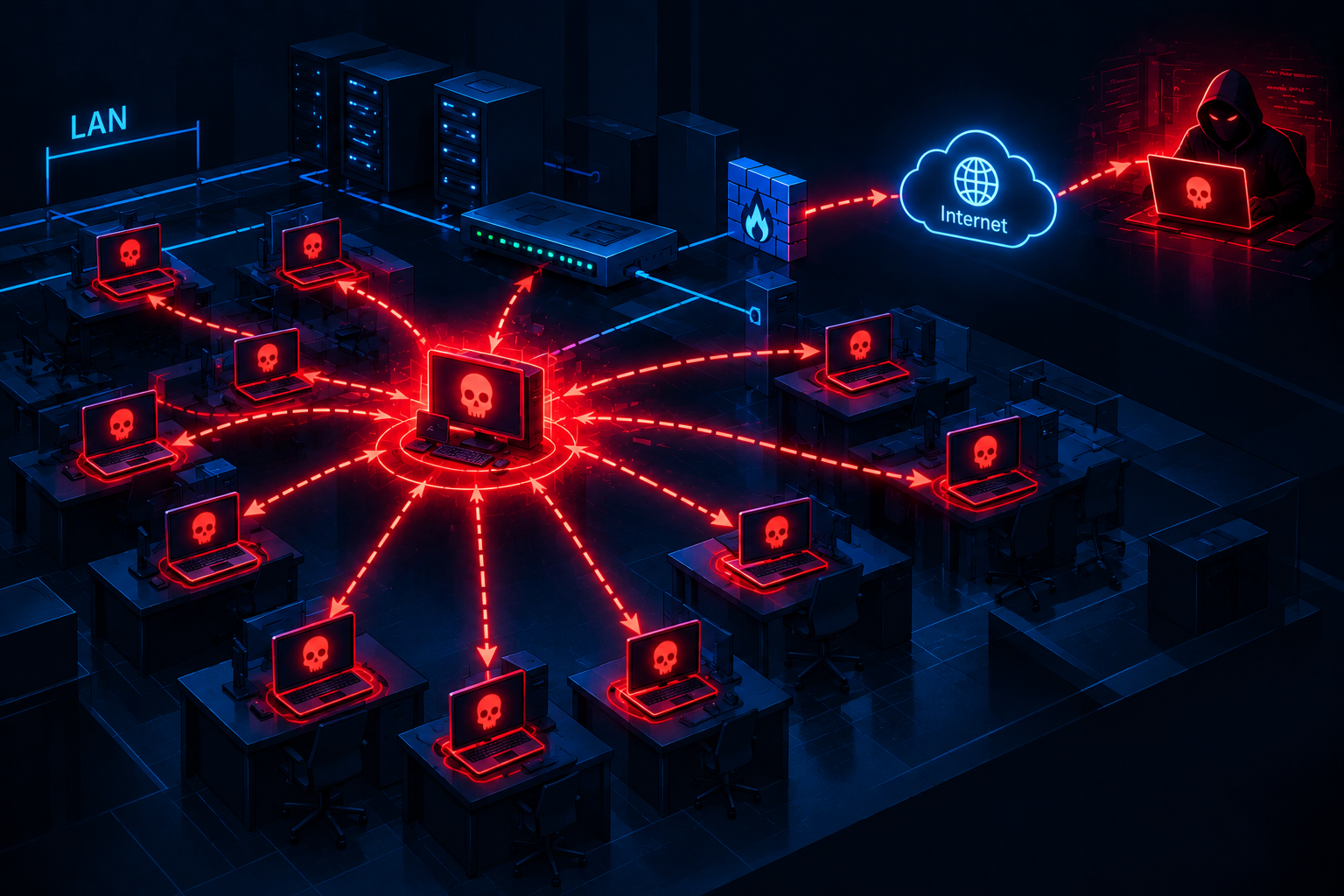
When Microsoft Teams is no longer Teams: The truth behind the trojanized RustDesk version

Overview
A sophisticated attack campaign was recently discovered, where the attacker distributes a fake Microsoft Teams installer (MSTeamsSetup.exe) to secretly introduce a trojanized version of RustDesk into the system.
What makes this campaign particularly dangerous is that the malicious file is signed with a valid digital signature under the name "Zlatin Stamatov." This "disguise" allows the malware to easily bypass common defense mechanisms like AV or EDR, which typically trust digitally signed software.

Hidden behind the scenes is a command and control (C2) infrastructure with many signs matching previous activities of the "calipology" group, known for the Striker C2 framework. Instead of developing malware from scratch, the attacker chooses a "smarter" path: exploiting a legitimate tool like RustDesk, but silently reconfiguring it to automatically connect to their server as soon as it's installed.
Event timeline
The campaign demonstrates long-term infrastructure preparation before actual deployment:
| Event timeline | Event | Details |
|---|---|---|
| 07/05/2025 | Domain Registration | systemautoupdater[.]com was registered through GoDaddy. |
| 01/06/2025 | DNS configuration | Update the DNS records, setting up the infrastructure to remain hidden for nearly a year. |
| 14/03/2026 | Certificate Issuance | Digital signature issued to "Zlatin Stamatov" (Certum Code Signing). |
| 09/04/2026 | Detection | The first malware samples appeared on MalwareBazaar and CAPE Sandbox. |
Main impact
The danger level of this attack chain doesn't lie in using overly complex techniques, but in its ability to "bypass" the current defense systems of businesses.
Bypassing EDR due to being "pre-approved" (whitelisted): The attacker exploits remote desktop software like RustDesk, AnyDesk, or TeamViewer. These are legitimate tools often pre-approved by companies. Therefore, when malware is hidden within these programs, security systems (EDR, Antivirus) overlook them, failing to conduct thorough checks, leaving the SOC team almost blind to any anomalies.
Staying hidden on the victim's machine for a long time: Unlike typical viruses that easily cause errors or slow down the computer, the modified version of RustDesk continues to function normally. Users might even believe they installed it at the IT department's request. This allows the attacker to remain undetected in the system for weeks or months without raising suspicion.
Opening the way for data theft and ransomware: Once they control the machine, hackers can:
View the screen, copy clipboard data
Retrieve passwords from the password manager
Use tools like Rclone to transfer data externally.
Details of the infection process

Step 1: Lure (SEO Poisoning / Malvertising)
In this campaign, the attacker uses SEO poisoning techniques or fake advertising (malvertising) on search engines. When users search for keywords like "Download Microsoft Teams" or "MS Teams setup," they are directed to a fake website that resembles Microsoft's homepage but is actually hosted on the attacker's infrastructure (e.g., subdomains of systemautoupdater[.]com).

Step 2: Download and Bypass Security (Signed Payload)
After reaching the attacker's website, users download the file MSTeamsSetup.exe (approximately 14.3 MB) — this file is, of course, embedded with malicious code.

The first line of defense is Windows SmartScreen, which typically alerts if a file lacks a digital signature. However, the attacker embedded a valid digital signature:
Signer: Zlatin Stamatov
Issuer: Certum Code Signing 2021 CA
Thumbprint: 0c8bb17a1c27a39817f4e1bd74b6c616fba3faef909f94772e685e64fe34cef3

Having a digital signature allows this file to bypass many basic antivirus solutions and creates a false sense of security for users when checking the file properties (Properties -> Digital Signatures).
Step 3: Execute and Compromise (Trojanized RustDesk)
When users run the installer file: Silent Execution: Instead of installing Teams, this file is actually a wrapper around the RustDesk client. It automatically extracts and executes RustDesk components in the temporary directory (%TEMP% or %APPDATA%).
Hardcoded Configuration: This version of RustDesk has been modified (weaponized) to bypass the usual connection verification steps. Parameters like Server ID, Relay Server, and Key are pre-set to point to the attacker's infrastructure.
Establishment: An encrypted connection is established to mon.systemautoupdater[.]com. The attacker can now see the victim's machine appear in their control list.

Analysis of Infrastructure and OPSEC Failures
The infrastructure of this campaign reveals a contradiction between thorough preparation and mistakes in OPSEC (Operational Security).
Infrastructure Overlap
The C2 server at IP 23.27.141[.]44 (EvoXT, New York) is hosting extremely suspicious services:
Port 443 (HTTPS): Uses a TLS certificate issued for calipology[.]com. This is the key linking this campaign to the "calipology" entity on Telegram, which has been tracked in previous Striker C2 campaigns.
Port 3004 (Trading Bots): A cryptocurrency trading bot management dashboard (written in Svelte/Vue) is publicly exposed. This suggests the attacker's ultimate financial goal may be to gain wallet access or execute unauthorized transactions on the victim's machine.
Port 21 (FTP): vFTPd 3.0.5 is open with a configuration requiring login, commonly used to exfiltrate data from the victim's machine to the central server.
Typical vulnerabilities
Reuse of TLS Property: Keeping the certificate for calipology[.]com on the same server as the malware is a major mistake, allowing researchers to link identities.
Redirection: Direct access to port 443 of the C2 IP is redirected to https://calipology\[.\]co\[.\]uk - the website of a legitimate business in the UK (brake pad restoration). This might be an attempt to create a "legitimate business" cover for the activities.

Expert opinion
The "Calvary" campaign exemplifies the trend of "Living-off-the-Land Tools" (LotLT). Instead of expending resources to develop sophisticated RAT malware, the attacker simply customizes legitimate Remote Desktop software.
In Vietnam, the risk from software installation packages from "external sources" (Google search links instead of official websites) remains high due to the habits of small and medium-sized business users. The presence of malware with valid digital signatures further increases the risk of bypassing IT teams' controls, which often prioritize whitelisting digitally signed applications. Additionally, the discovery of the "Trading Bot" dashboard indicates that individual users involved in cryptocurrency trading are a primary target for this group.
MITRE ATT&CK Mapping
| Tactic | Technique | ID |
|---|---|---|
| Resource Development | Acquire Infrastructure: VPS | T1583.003 |
| Resource Development | Obtain Capabilities: Code Signing Certificates | T1588.003 |
| Initial Access | Drive-by Compromise | T1189 |
| Execution | User Execution: Malicious File | T1204.002 |
| Defense Evasion | Subvert Trust Controls: Code Signing | T1553.002 |
| Defense Evasion | Masquerading: Match Legitimate Name | T1036.005 |
| Command and Control | Application Layer Protocol: Web | T1071.001 |
| Command and Control | Remote Access Software | T1219 |
IOC & Artifacts
Network Indicators
C2 Domain:
mon.systemautoupdater[.]comC2 IP:
23.27.141[.]44(EvoXT)Infrastructure Domains:
systemautoupdater[.]com,calipology[.]comRedirect Target:
calipology[.]co[.]uk
File Indicators
Filename:
MSTeamsSetup.exeSHA256:
d01148808fbeefa22cd4541cdaaee8bc1f74e3045302115dc5b08b99ff93dc9cCert Serial:
57193231454133499427671191024346513426Cert Thumbprint:
0C8BB17A1C27A39817F4E1BD74B6C616FBA3FAEF909F94772E685E64FE34CEF3
Recommendation (Mitigation)
Immediate (0-24h)
Block all IPs and domains in the IOC list at the firewall/proxy layer.
Review DNS logs or proxy logs to search for connections to subdomains of systemautoupdater[.]com.
Conduct threat hunting on EDR to find RustDesk processes executing from uncommon paths or with suspicious outbound connection parameters.
Short-term (1-7 days)
Implement a policy to block the execution of applications not approved by IT (Application Whitelisting/AppLocker).
Alert users to prioritize using the Microsoft Store or the official microsoft.com site to download MS Teams.
Long-term
Establish a process for regularly checking unusual digital certificates (Code Signing) appearing in the system.
Transition to a Zero Trust model, strictly controlling remote management connections (RMM), even those from "legitimate" tools.
Refer
https://intel.breakglass.tech/post/systemautoupdater-23-27-141-44 https://bazaar.abuse.ch/sample/d01148808fbeefa22cd4541cdaaee8bc1f74e3045302115dc5b08b99ff93dc9c/ https://www.capesandbox.com/analysis/60828/
Analysis MSTeamsSetup.exe (MD5: FF8505309831284BFF66A1CFD5049DAC) Malicious activity - Interactive analysis ANY.RUN