Overview
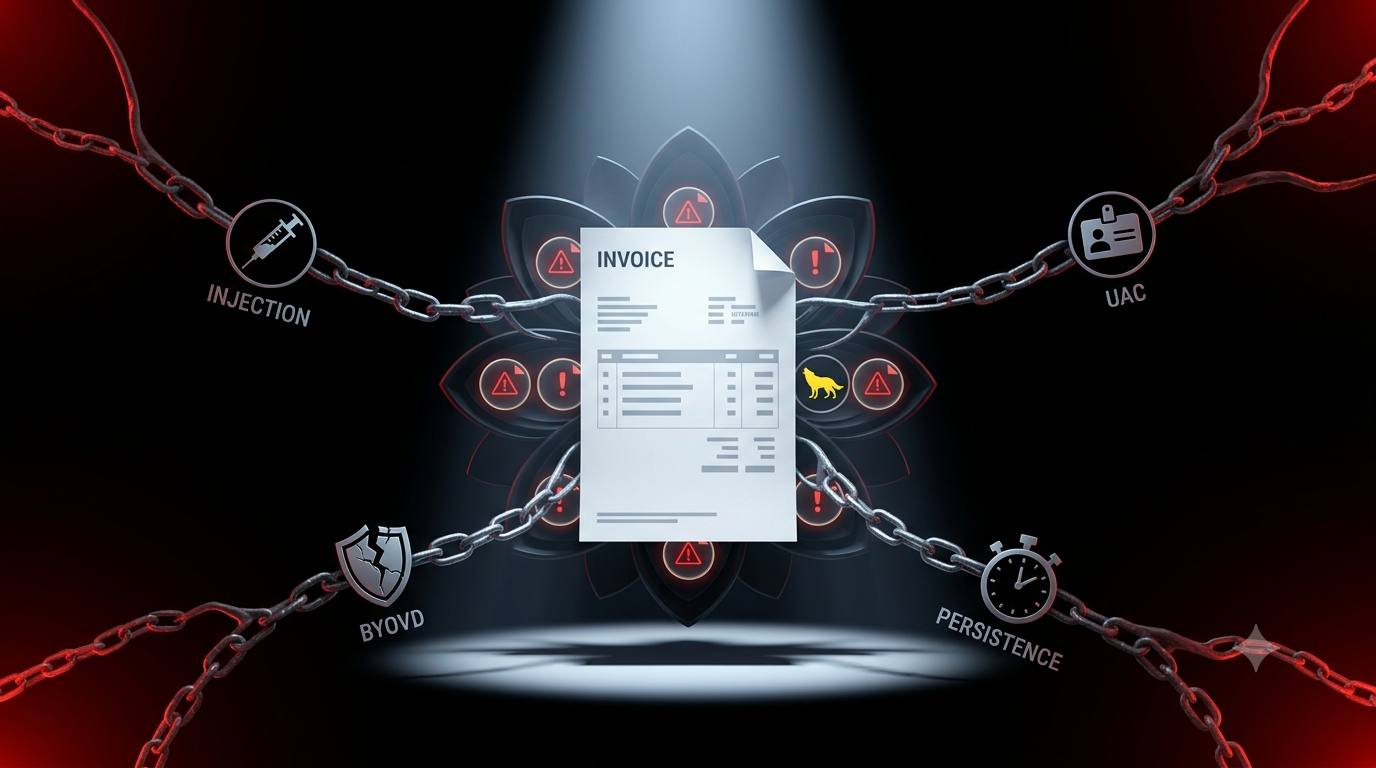
On September 2, 2026, AhnLab ASEC (ATCP team) published an analysis of MoiClient — a newly identified Windows backdoor distributed via a fake invoice email, deploying a notable multi-layer defense-evasion chain: DLL side-loading into SumatraPDF, shellcode injection into explorer.exe via entry-point overwrite, UAC bypass without an exploit using the AppInfo Service RPC interface, BYOVD via Lenovo's BootRepair.sys kernel driver to kill AV/EDR processes at the kernel level, and disabling Windows Defender via the open-source defendnot tool by deceiving Windows Security Center itself. Once all security barriers are cleared, the backdoor downloads MoiXD Stealer — a payload that harvests browser credentials and passwords via ChromeElevator.
AhnLab named the backdoor MoiClient based on the string "moimoi" that appears when it executes the BYOVD technique — the same string used in the dropped driver filename moimoi.sys. This is the first publicly documented real-world exploitation of the vulnerability in the BootRepair.sys driver from Lenovo PC Manager — a driver that researcher Jehad Abudagga had analyzed and published abuse potential for in May 2026.
About the Threat Actor
AhnLab does not attribute this campaign to any known group in the original analysis. The following is what can be determined from the tooling and campaign itself:
| Attribute | Detail |
|---|---|
| Backdoor name | MoiClient |
| Payload name | MoiXD Stealer |
| Delivery channel | Fake invoice email, .vhdx attachment |
| Target platform | Windows (64-bit) |
| Objective | Browser credential and password theft |
| Distinguishing feature | Chains multiple sophisticated evasion techniques into a seamless attack sequence; leverages a legitimately signed Lenovo driver and the open-source defendnot tool |
| Attribution | Undetermined — not attributed in AhnLab's original report |
Technical Analysis
Attack Chain Overview
Fake invoice email (.vhdx attachment)
└─► User opens Invoice.Pdf.Exe (actually SumatraPDF)
 └─► DLL side-loading: uxtheme.dll (MoiClient) loaded
  └─► Stage 1: Create suspended explorer.exe + EP overwrite + shellcode injection
   └─► Stage 2: Final payload runs entirely in memory
    └─► RPC UAC Bypass (AppInfo Service)
     └─► BYOVD (BootRepair.sys) → kills AV/EDR
      └─► defendnot → disables Windows Defender
       └─► Persistence (Task Scheduler, every 30 min)
        └─► Downloads MoiXD Stealer from C2
         └─► Steals browser credentials
1. Initial Infection Vector — Fake Invoice .VHDX File
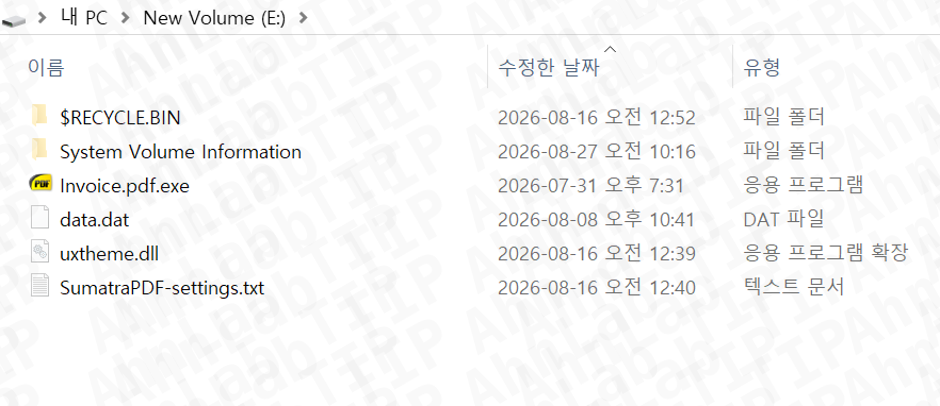
The attack begins with a fake invoice email carrying a .VHDX file (Virtual Hard Disk — a Windows virtual disk format). When the user mounts the file, it appears to contain:
Invoice.Pdf.Exe— a file that looks like a PDF document (name and icon are deceptive), but is actually SumatraPDF — a legitimate, well-known PDF reader.uxtheme.dll— the malicious DLL, which is MoiClient itself. Marked as hidden, along with all other files in the archive, making them invisible to ordinary users.data.dat— a file containing shellcode used in the next injection stage (also hidden).
Why .VHDX instead of a standard archive? When Windows mounts a .VHDX, the contents are presented like a regular disk drive — all files in the same directory (the virtual drive). This is precisely the precondition for DLL side-loading: the malicious uxtheme.dll must sit in the same directory as Invoice.Pdf.Exe.
2. DLL Side-Loading — SumatraPDF Used as a Carrier
When the user double-clicks Invoice.Pdf.Exe (believing it to be a PDF), Windows searches for uxtheme.dll following its default DLL search order — and finds the malicious copy sitting in the same directory (the mounted .VHDX drive), loading it into the SumatraPDF process.

uxtheme.dll is the name of a real Windows DLL (the Windows Theme API) — impersonating this name means the file raises no immediate suspicion if a user happens to spot it.
3. Multi-Stage Process Injection
Once loaded into SumatraPDF, MoiClient executes a multi-stage injection chain to move its execution environment into a legitimate Windows process:
Step 1: Creates an explorer.exe process in the "Suspended" state — the process is created but has not yet executed a single instruction.
Step 2: Reads shellcode from the data.dat file and overwrites the Entry Point (EP) of the suspended explorer.exe — a technique sometimes called "EP hijacking" or "early process injection." The entire normal startup code of explorer.exe is replaced with the attacker's shellcode.
Step 3: Resumes (unsuspends) the explorer.exe process — when it starts, instead of running normal explorer.exe code, it executes the injected shellcode.
Step 4: The shellcode runs an additional injection routine, then loads and executes the final payload entirely in memory — writing no executable file to disk.
Result: the malicious code is running under the identity of explorer.exe — one of the most trusted and common Windows processes, the least likely to be flagged by monitoring tools.
4. UAC Bypass Without an Exploit — The RPC AppInfo Technique
Having established a foothold inside explorer.exe, MoiClient needs higher privileges to disable security software. Rather than using an exploit, it applies a UAC bypass technique that doesn't abuse any real vulnerability — leveraging Windows's own design in a way that is entirely legitimate from a technical standpoint.
This technique is similar to the AppInfo local RPC interface exploitation approach documented and published by Google Project Zero (linked in AhnLab's original post).
Detailed technical sequence:
Connects to the AppInfo Service's RPC interface via the
ncalrpcprotocol — a Windows local IPC mechanism used to communicate with the OS's auto-elevation management service.Executes
winver.exeas a debug target and acquires a debug object handle — a handle that allows receiving debug events from the target process.Executes
ComputerDefaults.exe— a Windows system binary designed to auto-elevate (without a UAC prompt) — through the same AppInfo RPC path, and receives the associated debug events. In the process, it acquires and clones the process handle ofComputerDefaults.exe.Sets the cloned handle as the parent process for both
sc.exeand PowerShell. Because Windows inherits the security token from the parent process, both inherit the elevated privileges ofComputerDefaults.exe— which is already running elevated — and thereby bypass UAC without any user confirmation prompt.
Why does this work? Windows designed ComputerDefaults.exe to auto-elevate for legitimate system tasks. This technique doesn't exploit a bug in ComputerDefaults.exe or AppInfo Service — it leverages entirely intentional Windows design behavior to do something Windows didn't intend a third-party process to do.
5. BYOVD — Lenovo's BootRepair.sys Driver Kills AV/EDR at the Kernel Level
With elevated privileges secured, MoiClient deploys a BYOVD (Bring Your Own Vulnerable Driver) attack to neutralize security products at the kernel level — a layer that conventional user-mode malware cannot reach.
The abused driver: BootRepair.sys — version 2.5.30.11281 from Lenovo PC Manager, a kernel driver legitimately signed by Lenovo (via Symantec Class 3 SHA256 Code Signing CA).
SHA-256 of the original driver: 5ab36c116767eaae53a466fbc2dae7cfd608ed77721f65e83312037fbd57c946
Compilation date: 2018-01-03
The driver's vulnerability (disclosed by Jehad Abudagga, May 2026): The driver creates a device object named \\Device\\::BootRepair without a secure DACL, and a symbolic link \\DosDevices\\BootRepair for user-mode processes to interact with it. It processes IOCTL control code 0x222014 — accepting a Process ID and passing it directly to the Windows kernel API ZwTerminateProcess without any access control check. This means any process on the system — regardless of privilege level — can open a handle to the driver and send a PID to terminate that process at ring-0. (Note: MoiClient uses this driver with privileges already elevated via the UAC bypass in Step 4.)
MoiClient's BYOVD sequence:
Drops
BootRepair.sysinto the%Public%directory, renamed asmoimoi.sys.Uses the elevated
sc.exe(from Step 4) to register and start the kernel driver service.Enumerates running processes, identifying any belonging to security software.
Sends each security process's PID to the
\\.\BootRepairdevice via IOCTL0x222014.The driver calls
ZwTerminateProcessat the kernel level — the security process is terminated even if it has self-protection mechanisms (protected process).
AV/EDR products targeted (from the driver's dispatch routine): Processes belonging to Windows Defender (the entire family), Malwarebytes, Bitdefender, Kaspersky, Avast, AVG, and McAfee.
6. Disabling Windows Defender a Different Way — defendnot and the WSC API
Beyond killing Defender's processes via BYOVD, MoiClient also deploys a separate, more stealthy mechanism for sustained Defender neutralization: downloading and executing defendnot.dll and defendnot-loader.exe from the C2 server via the elevated PowerShell session.
What is defendnot? An open-source tool published on GitHub by the author es3n1n, self-described as "an even funnier way to disable Windows Defender." Rather than killing processes or modifying the registry (noisy techniques that EDRs readily flag), defendnot abuses a lesser-known Windows mechanism:
The Windows Security Center (WSC) API — an undocumented interface (requiring an NDA with Microsoft to obtain documentation) used by antivirus software to notify Windows that another security product is active, which causes Windows Defender to voluntarily switch into passive mode.
defendnot exploits this mechanism: registering itself as a fake antivirus via the WSC API → Windows willingly disables Defender because "another AV is already providing protection." This is substantially stealthier than killing processes or deleting registry keys — no noisy warning, no anomalous API calls standing out, just Windows behaving exactly as designed.
Defender detects and flags defendnot (detection name: VirTool:Win64/Defnot.A) — which is precisely why MoiClient uses BYOVD to disable Defender first, then loads and runs defendnot to neutralize Defender persistently via WSC in a way that survives a reboot.
7. Persistence — Resurfaces Every 30 Minutes
Having cleared the security landscape, MoiClient registers a Scheduled Task to ensure it keeps running even if partially detected and removed:
Task naming logic:
If no existing task is found: name =
MicrosoftWindowsUpdateTask+ 4 random digits (e.g.,MicrosoftWindowsUpdateTask1234)If a task already exists: name = existing task name + append a period
.at the end (e.g.,MicrosoftWindowsUpdateTask1234.)
The dot-appending logic means: if IR responders find and delete the task, but the backdoor gets one more run, it creates a new task under a different name — slowing down the cleanup process.
The task is configured to run every 30 minutes, executing:
%LOCALAPPDATA%\demo.exe -print-to-default -silent file.pdf
Here demo.exe is a copy of SumatraPDF (renamed), and uxtheme.dll — the MoiClient DLL — sits in the same directory, ready to be side-loaded again every time the task fires. The entire DLL side-loading loop from the initial execution phase repeats automatically via Task Scheduler every half hour.
8. Final Payload — MoiXD Stealer Harvests Browser Credentials
After disabling security and establishing persistence, MoiClient downloads the final payload from the C2 server as a file named c.txt (using a .txt extension to evade file-type filtering). The payload is executed entirely in memory via CreateThread() — no executable file written to disk.
At the time of AhnLab's analysis, c.txt was identified as MoiXD Stealer — using ChromeElevator to steal browser data:
ChromeElevator is a legitimate Chrome browser component (a COM-based elevation service), commonly abused by infostealers to access data Chrome stores in protected locations (cookies, passwords, authentication tokens) without requiring SYSTEM privileges directly.
Stolen data includes: saved browser passwords, session cookies, and autofill data — sufficient to take over accounts without knowing the actual password.
Why This Attack Chain Stands Out
The notable point isn't any single technique — BYOVD, RPC UAC bypass, and DLL side-loading have all been documented individually. What stands out is how they're sequenced into a seamless chain where each step clears the path for the next:
.VHDXplaces all files in the same directory → creates the side-loading precondition.Side-loading into a signed SumatraPDF binary → dramatically reduces chances of immediate AV blocking.
EP overwrite into a suspended
explorer.exe→ runs under Windows's most trusted process.AppInfo RPC bypass → elevated privileges without triggering a UAC prompt.
BYOVD kills AV first → clears the path for defendnot to run undetected.
defendnot disables Defender via WSC → Defender voluntarily stays off, no noisy kill event.
Task Scheduler every 30 minutes → guaranteed reappearance even after partial removal.
MoiXD Stealer in memory → no executable artifact on disk.
The BYOVD + defendnot pairing is the most technically nuanced detail for defenders: the attacker doesn't just think about immediately disabling AV (BYOVD), but also about preventing AV from restarting after reboot (defendnot via WSC). This reflects systematic attack thinking: understanding every OS self-recovery mechanism and pre-emptively countering it before it can trigger.
Risk Summary
| Risk Dimension | Level | Rationale |
|---|---|---|
| Defense Evasion Capability | Very High | BYOVD kernel-level + defendnot WSC API → AV/EDR neutralized before main payload runs |
| Privilege Escalation | High | UAC bypass via RPC AppInfo — no exploit, no user confirmation |
| Stealth | High | Side-loads into a signed binary, injection into explorer.exe, in-memory payload, .txt-disguised payload |
| Persistence | High | Task Scheduler every 30 minutes, task name mutates to evade cleanup |
| Potential Financial Impact | High | MoiXD Stealer harvests browser passwords and cookies — sufficient to hijack banking, social media, corporate email accounts |
| Delivery Vector Risk | Medium-High | Fake invoice email — extremely common in enterprise environments; employees regularly open invoices from unfamiliar partners |
IOCs & Artifacts
File Artifacts
| Path / Filename | Description |
|---|---|
%Public%\moimoi.sys |
Lenovo BootRepair.sys driver dropped and renamed |
%LOCALAPPDATA%\uxtheme.dll |
MoiClient DLL (impersonates Windows Theme API) |
%LOCALAPPDATA%\data.dat |
Shellcode used for EP overwrite into explorer.exe |
%LOCALAPPDATA%\defendnot-loader.exe |
Defender neutralization tool via WSC API (downloaded from C2) |
%LOCALAPPDATA%\defendnot.dll |
defendnot DLL component (downloaded from C2) |
%LOCALAPPDATA%\demo.exe |
SumatraPDF renamed, used to re-trigger side-loading via Task Scheduler |
Driver Hash
SHA-256 (original BootRepair.sys): 5ab36c116767eaae53a466fbc2dae7cfd608ed77721f65e83312037fbd57c946
Exploited version: 2.5.30.11281
IOCTL control code: 0x222014
Scheduled Task
Task name:
MicrosoftWindowsUpdateTask+ 4 random digits (e.g.,MicrosoftWindowsUpdateTask1234); if a task already exists, appends.to the end.Schedule: Every 30 minutes
Command:
%LOCALAPPDATA%\demo.exe -print-to-default -silent file.pdf
Behavioral Indicators
An anomalous, additional
explorer.exeprocess running in parallel (not the main desktop explorer.exe).sc.exeor PowerShell spawned by a process other thanservices.exeor a standard shell.A driver file (
.sys) being loaded from%Public%or%TEMP%via the Service Control Manager.defendnot-loader.exeordefendnot.dllappearing in%LOCALAPPDATA%.Windows Security Center registering an unknown, unrecognized AV product in place of Windows Defender.
Windows Defender switching to passive mode with no legitimate AV product officially installed.
MITRE ATT&CK Mapping
| Tactic | Technique ID | Technique Name | Description in Campaign |
|---|---|---|---|
| Initial Access | T1566.001 | Phishing: Spearphishing Attachment | Fake invoice email with .VHDX attachment |
| Execution | T1204.002 | User Execution: Malicious File | User opens Invoice.Pdf.Exe believing it to be a PDF |
| Persistence | T1574.002 | Hijack Execution Flow: DLL Side-Loading | Malicious uxtheme.dll loaded by SumatraPDF from the same directory |
| Persistence | T1053.005 | Scheduled Task/Job: Scheduled Task | MicrosoftWindowsUpdateTask[4 digits] task, runs every 30 minutes |
| Defense Evasion | T1055 | Process Injection | Shellcode injected into explorer.exe via EP overwrite |
| Defense Evasion | T1036.005 | Masquerading: Match Legitimate Name | uxtheme.dll impersonates a real Windows DLL; demo.exe is renamed SumatraPDF |
| Defense Evasion | T1620 | Reflective Code Loading | Final payload (MoiXD Stealer from c.txt) executes entirely in-memory via CreateThread() |
| Privilege Escalation | T1548.002 | Abuse Elevation Control Mechanism: Bypass UAC | RPC AppInfo technique exploiting ComputerDefaults.exe auto-elevate and parent process handle cloning |
| Defense Evasion | T1562.001 | Impair Defenses: Disable or Modify Tools | BYOVD kills AV/EDR processes; defendnot disables Windows Defender via WSC API |
| Defense Evasion | T1543.003 | Create or Modify System Process: Windows Service | Registers moimoi.sys as a kernel driver service via elevated sc.exe |
| Command and Control | T1105 | Ingress Tool Transfer | Downloads c.txt (MoiXD Stealer), defendnot.dll, defendnot-loader.exe from C2 |
| Credential Access | T1555.003 | Credentials from Web Browsers | MoiXD Stealer uses ChromeElevator to steal passwords and cookies from browsers |
Assessment
MoiClient is a textbook example of a trend becoming increasingly clear in financially motivated attack campaigns: building an attack chain from components already present in the Windows ecosystem and open-source tooling, rather than developing a fully custom framework from scratch. SumatraPDF is legitimate and signed, BootRepair.sys is legitimately signed by Lenovo, the AppInfo RPC path is Windows's own design, defendnot is open-source on GitHub, ChromeElevator is a Chrome component — not a single element of this chain is malicious in the traditional sense, yet combined they form an attack sequence capable of dismantling multiple layers of security.
The BYOVD + defendnot pairing is the most instructive detail for defenders: the attacker doesn't just plan to immediately disable AV (BYOVD), but also to ensure AV doesn't restart after a reboot (defendnot via WSC). This is evidence of systematic attack thinking — understanding every OS self-recovery mechanism and placing a countermeasure before it can activate. The two techniques complement each other, covering both immediate state and long-term persistence of the disabled security posture.
The exploitation of BootRepair.sys represents the first publicly documented real-world use of this vulnerability following Jehad Abudagga's May 2026 PoC disclosure — less than four months from public disclosure to confirmed in-the-wild exploitation. This reinforces a well-proven principle: the window between a driver being added to a LOLDrivers list or driver blocklist and being actively weaponized by threat actors is extremely short. Driver blocklists need continuous updates to remain effective, and organizations should not treat "not yet exploited" as equivalent to "not a priority."
The delivery vector — a .VHDX file disguised as an invoice — deserves particular attention. The .vhdx format is less commonly flagged by email security solutions than traditional archive formats like .zip or .rar, while Windows natively supports mounting it without any additional software. Meanwhile, invoice-themed lures are among the most effective in enterprise environments, particularly targeting accounting, finance, and procurement staff who regularly receive invoices from unfamiliar counterparties. This combination makes the initial access step both simple and highly effective against typical corporate defenses.
Recommendations
Immediate Checks if MoiClient Infection Is Suspected
(Per AhnLab's direct guidance)
Check for anomalous
explorer.exeprocesses: Verify whether any unexpectedexplorer.exeprocesses are running — terminate them immediately if found.Check Task Scheduler: Look for suspicious tasks, especially any configured to run
demo.exematching:%LOCALAPPDATA%\demo.exe -print-to-default -silent file.pdf. Delete any such task found.Check for the presence of these files — if any are found, they are likely malicious and must be deleted immediately:
%Public%\moimoi.sys%LOCALAPPDATA%\uxtheme.dll%LOCALAPPDATA%\data.dat%LOCALAPPDATA%\defendnot-loader.exe%LOCALAPPDATA%\defendnot.dll
Prevention and Detection
Add
BootRepair.systo your driver blocklist: The SHA-256 hash5ab36c116767eaae53a466fbc2dae7cfd608ed77721f65e83312037fbd57c946should be added to your organization's driver block policy (Microsoft WDAC or equivalent). Note: Lenovo had not released a patch for this driver as of publication.Detect BYOVD activity: Alert when
BootRepair.sys(ormoimoi.sys) is loaded from any path outside the official Lenovo PC Manager installation directory; monitor Service Control Manager creating kernel services from%Public%or%TEMP%.Detect defendnot: Alert when Windows Security Center registers a new AV product with an unknown or unrecognized brand name; monitor for
defendnot-loader.exeanddefendnot.dllappearing in user directories.Build detection rules in EDR/SIEM:
explorer.execreated withCREATE_SUSPENDEDflag from a non-standard parent processsc.exeor PowerShell spawned with a parent process other thanservices.exeor a standard shell — a signal of parent process spoofing.vhdxfiles opened from email download or attachment folders
Security awareness training: Particularly for accounting, finance, and procurement staff — be suspicious of invoice attachments in
.vhdxformat (not a normal document format); never open.exefiles inside an archive or disk image regardless of what the filename looks like.Enable Windows Defender Tamper Protection and ensure it cannot be disabled by user-mode processes — this significantly complicates defendnot's ability to install successfully.
References
Comments
Join the discussionNo comments yet. Be the first to comment.