Vulnerability in FortiSIEM: When the attack detection tool is attacked
Recently, the security company Fortinet announced a critical vulnerability in FortiSIEM that is being exploited, threatening systems that have not bee

Overview
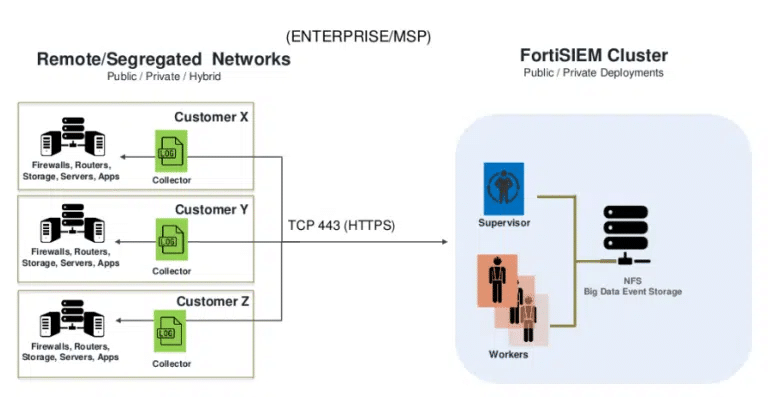
A serious security vulnerability has just been discovered in Fortinet FortiSIEM, a security management and monitoring platform trusted by many businesses but ironically is being actively exploited by hackers in the wild. Notably, this vulnerability allows remote code execution with root privileges without authentication, turning FortiSIEM from a defensive tool into a dangerous entry point in the internal network.
The concerning part is that the exploit code for the vulnerability was made public shortly after Fortinet issued a warning, leading to a wave of scans and attacks targeting unpatched systems. This is particularly worrying because FortiSIEM often holds all logs, alerts, and security monitoring data, acting as the "heart" of the SOC.
POC source “GitHub - horizon3ai/CVE-2025-64155: CVE-2025-64155: Fortinet FortiSIEM Argument Injection to Remote Code Execution”
Affected Versions
The following FortiSIEM versions are identified as vulnerable if not patched:
FortiSIEM 6.7.0 → 6.7.10
FortiSIEM 7.0.0 → 7.0.4
FortiSIEM 7.1.0 → 7.1.8
FortiSIEM 7.2.0 → 7.2.6
FortiSIEM 7.3.0 → 7.3.4
FortiSIEM 7.4.0
Introduction to FortiWeb
FortiWeb has long been known as a Web Application Firewall (WAF) solution developed by Fortinet, designed to protect web applications and APIs from increasingly sophisticated threats from the Internet. FortiWeb acts as a specialized defense layer, standing between users and web servers, helping to detect and block attacks directly targeting the application layer.
Unlike traditional firewalls, FortiWeb focuses on analyzing HTTP/HTTPS content, thereby protecting applications from common attack techniques such as SQL Injection, Cross-Site Scripting (XSS), Command Injection, File Inclusion, as well as automated threats like malicious bots and application layer DDoS attacks.

Protection mechanisms of FortiWeb
Signature-based attacks.
Behavior-based analysis.
Machine Learning to build a model of normal application behavior.
Virtual patching, which helps mitigate risks from zero-day vulnerabilities or unpatched issues.
Cause of the Vulnerability
The core cause of the vulnerability in FortiSIEM stems from the unsafe design and implementation of an internal system service.
First, lack of authentication and authorization is the most direct and serious cause.
Second, improper input validation allowed user-controlled data to be directly fed into system commands.
Third, violation of the "least privilege" principle amplified the impact of the vulnerability.
Vulnerability Description
Identifier: CVE-2025-64155
CVSS Score: 9.8
Severity Level: Critical
Description: Allows attackers to execute unauthorized code and take control of the system.
Vulnerability Analysis
To better understand this vulnerability, we will go through the exploitation process from the perspective of Threat Intelligence. Besides the causes mentioned above, there is another important component in FortiWeb called “phMonitor.”
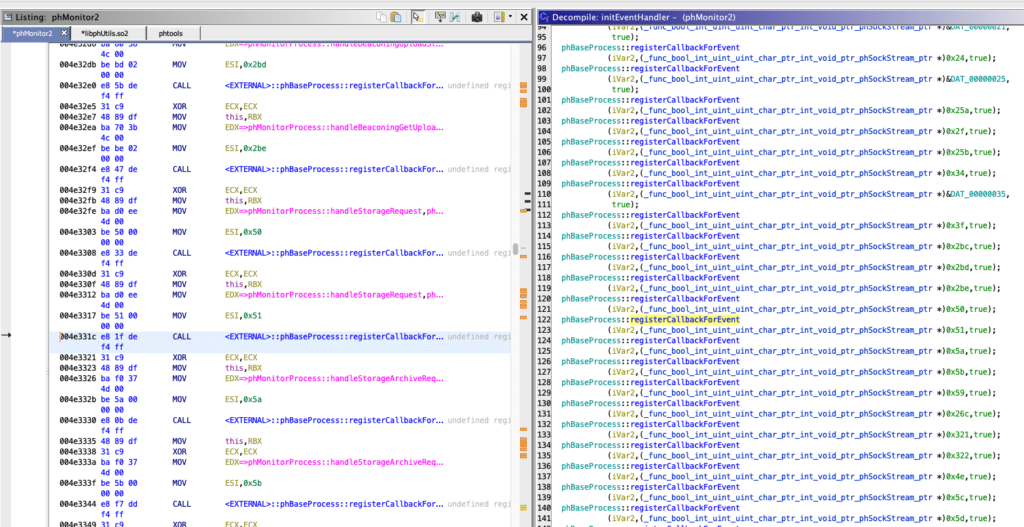
In phMonitor, there are several handlers that process different types of commands with the name handleStorageRequest, which handles storage configuration requests based on XML. When the storage type is elastic, the data in the XML is extracted and passed into a system script.

Exploiting this, attackers will scan FortiWeb services by sending a series of raw TCP message requests, each containing valid XML content according to the internal FortiSIEM protocol. This process does not require login, cookies, or certificates.
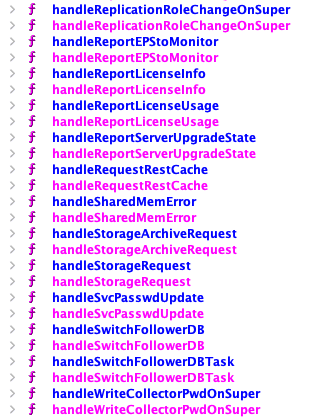
Then phMonitor will read the messages sent above. It is important to note that at this point, there is no permission check on the target system; this is just the initial probing stage.

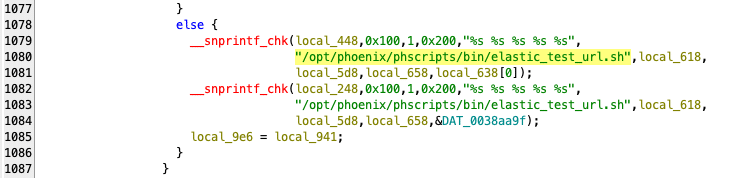
Then the handleStorageRequest() function begins processing the XML, where it extracts the fields.storageType
cluster_namecluster_url

Soon after, FortiSiem will call the function “elastic_test_url.sh "<cluster_name>" "<cluster_url>", and the dangerous part is:
The script is not called through the shell
Input is escaped at the subprocess level
Dev believes that injection is blocked
All that is obtained after they run the above command:
Arbitrary file write.
No crash needed.
No interactive shell needed.
No need to bypass auth.
Runs as admin.
This is a very powerful primitive, enough for:
RCE.
Persistence.
Privilege escalation.
Once they have the information and foothold above, attackers can easily write arbitrary files on the system or place a payload in the execution path.
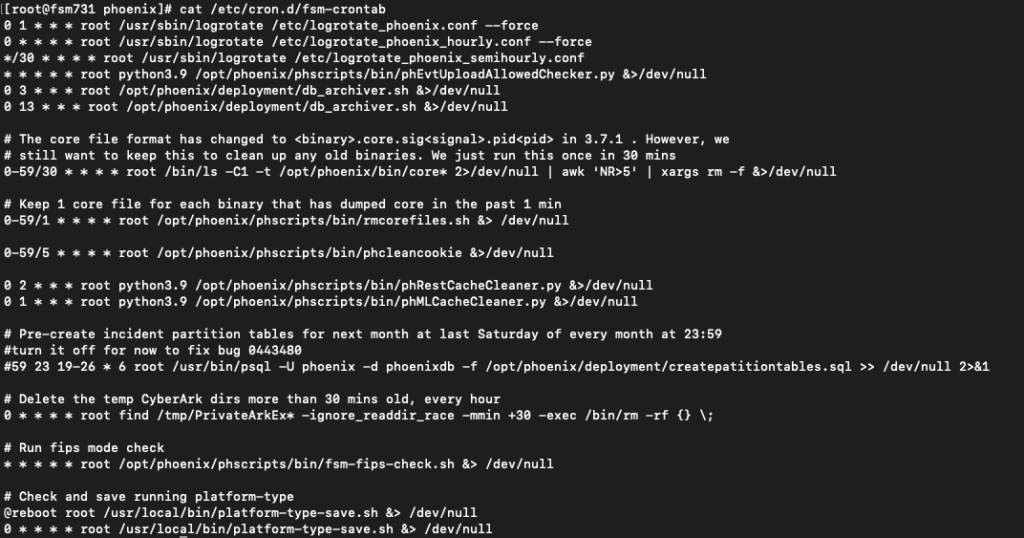
Of course, at the final stage, the attacker no longer tries to break in further, but shifts to leveraging the value of the control they already have to establish a solid foothold. Their main goals are:
Maintain sustainable access.
Control the flow of security information.
Prepare for future campaigns without being detected.
Conclusion
The campaign exploiting vulnerabilities in FortiSIEM does not represent a complex attack technique or a sophisticated zero-day, but rather reflects maturity in modern attack thinking: instead of breaking through defenses from the outside, the attacker goes straight to the heart of the defense system.
The dangerous nature of this campaign lies in abusing legitimate operational flows. The payload does not show signs of traditional malware, does not require brute force or sophisticated bypass techniques, but exploits flawed design assumptions: internal services are trusted absolutely, configuration data is not tightly controlled, and automated processes are given excessive privileges. When these factors combine, a legitimate "configuration check" operation is turned into a trigger point for the entire attack chain.
Recommendations
Update and Patch Immediately
Upgrade FortiSIEM to the officially patched version by Fortinet
Do not delay because this vulnerability:
Allows dangerous actions
Has real-world exploitation (in-the-wild)
Conduct a Compromise Assessment
Review:
Logs of related background services concerning:
Storage/integration configuration
Automation/test connectivity
Any unusual files, scripts, or processes created after the service processed configuration
Limit Service Privileges (Least Privilege)
Separate privileges:
Management services
Data processing services
Automation services
Do not allow processes to:
Write arbitrary files
Execute system commands
Require Authentication for ALL Internal Services
Do not automatically trust:
Localhost
Internal VLAN
Management network
Apply:
Mutual TLS
Token-based authentication Network ACL for specific IP