

New malware targets Android users to steal electronic information and wallets

Overview
Recently, a new malware called Crocodilus was discovered, targeting Android users to steal login credentials and cryptocurrency wallet keys. This software uses advanced techniques like remote device control, black screen overlay, and data collection through Android's Accessibility Service. Initial campaigns show targets mainly in Spain and Turkey, along with several cryptocurrency wallets.
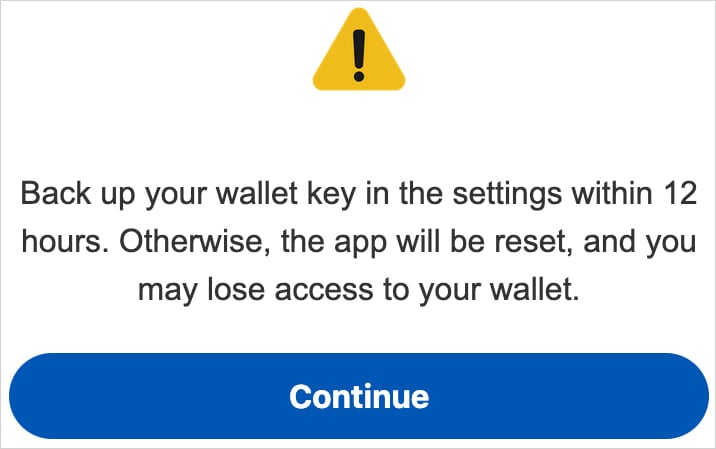
One of Crocodilus's phishing tactics is displaying a fake notification asking users to back up their wallet keys within 12 hours to avoid losing access. When users follow the instructions and display the seed phrase, the malware records this information and sends it to the attacker's server, allowing them full control over the victim's cryptocurrency wallet.
Scope of Impact
The Crocodilus malware targets devices running the Android operating system, including Android 13 and newer versions.
Campaign Details
Although this malware is new, it includes all the necessary features of modern banking malware: overlay attacks, keylogging, remote access, and remote control capabilities.
The initial installation is done through a method that bypasses the exclusive Android 13+ restrictions. Once installed, Crocodilus requests access to the Accessibility Service. When granted, this malware can:
Monitor user activity
Collect sensitive data
Perform actions without user consent
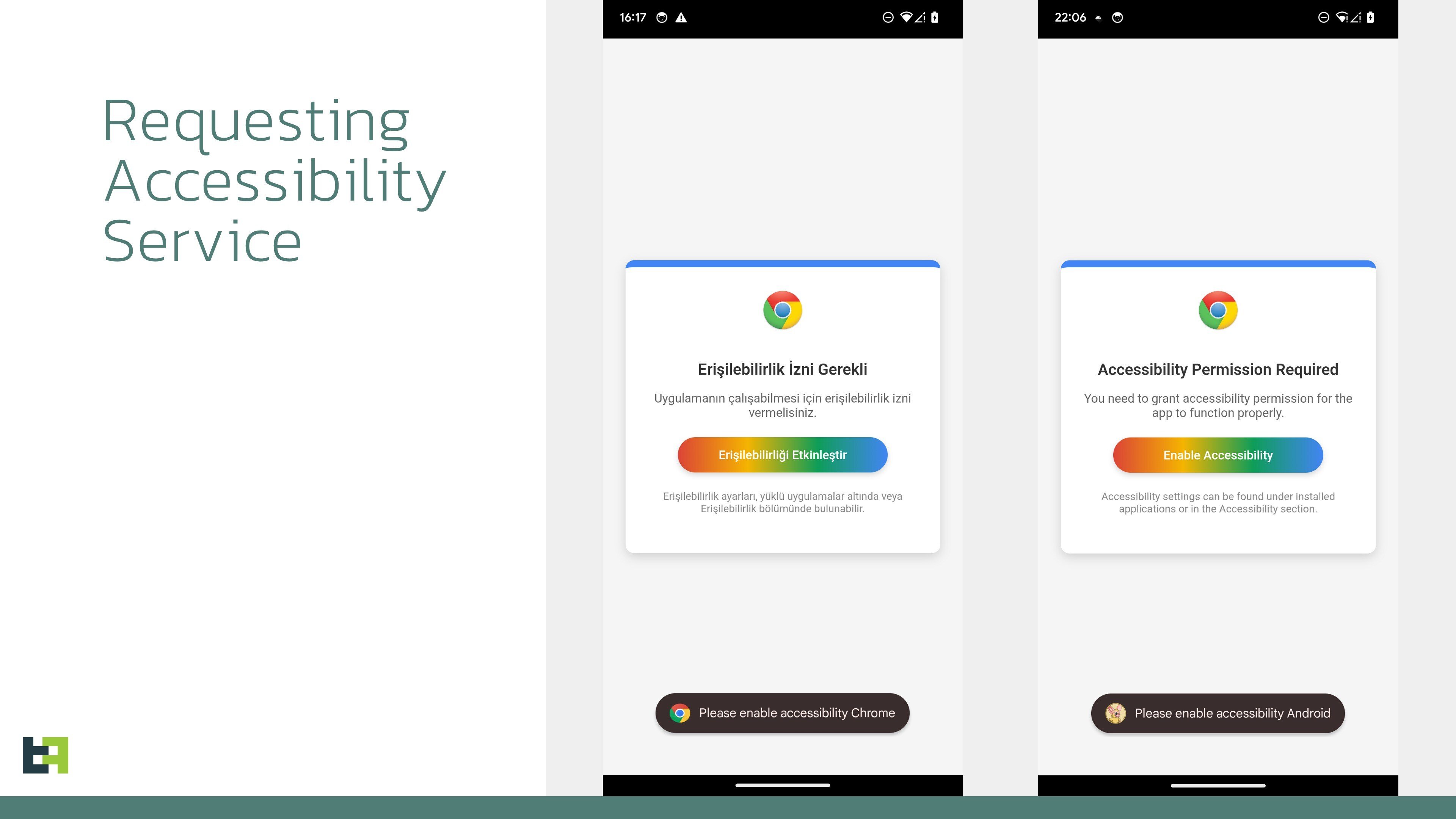
Once granted, the malware connects to the command and control (C2) server to receive instructions, including a list of applications to be used. It runs continuously, monitoring app launches and displaying overlays to block login information.
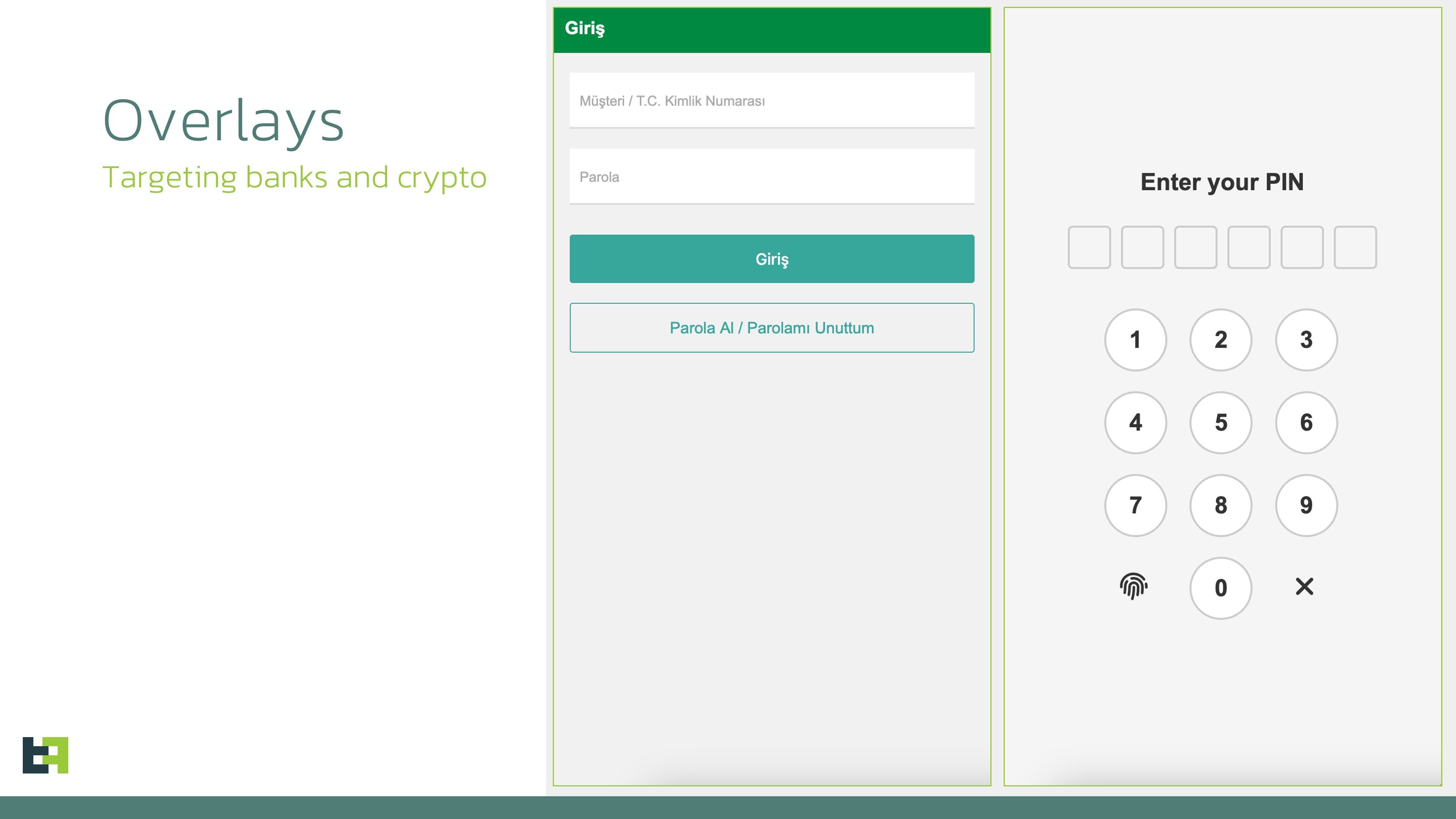
Once inside the system, Crocodilus will perform an Overlay Attack.
Crocodilus creates fake overlays on legitimate apps, such as cryptocurrency wallet apps. When users enter their login information, the malware collects and sends this data to the attacker's server.
After stealing the wallet PIN through the overlay, Crocodilus displays a fake alert asking users to back up their seed phrase within 12 hours to avoid losing access. When users follow the instructions and display the seed phrase, the malware records this information using screen monitoring tools and sends it to the attacker.
In addition, Crocodilus can remotely control the device, allowing the attacker to perform actions such as:
Conduct unauthorized transactions
Access and steal other sensitive data
Hide activity by displaying a black screen and muting the device
According to analysts, the bot component of the malware supports a set of 23 commands that it can execute on the device, including:
Enable call forwarding
Launch a specific app
Post push notifications
Send SMS to all contacts or a specified number
Receive SMS messages
Request device administrator privileges
Enable black overlay
Turn sound on/off
Lock the screen
Set itself as the default SMS app
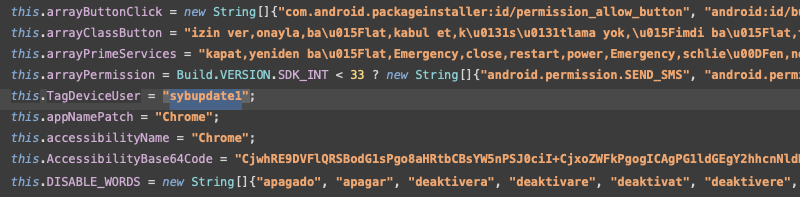
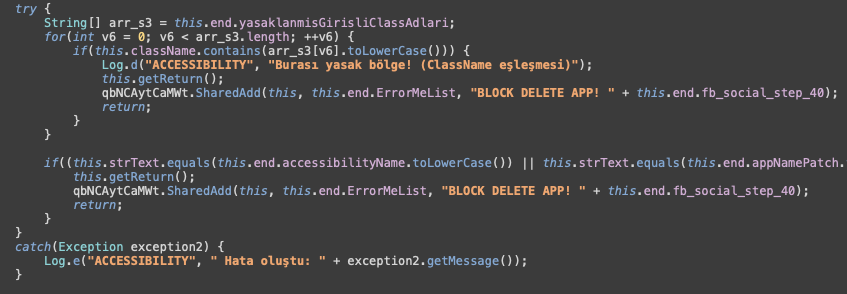
In Crocodilus, attackers have used malicious code related to Accessibility Services on Android for various harmful purposes:
Interact with Android permissions
Control the device remotely
Abuse system access rights
Target the Chrome browser
Encrypt data or download external malware
Block or disable alerts
Recommendations
Only download apps from trusted sources
Do not install APKs from outside or from unknown sources.
Check reviews and download numbers before installing apps from the Google Play Store.
Check app permissions
If an app requests Accessibility Services, Device Administrator, or SMS Permissions without a clear reason → DO NOT GRANT PERMISSION!
You can check access permissions by going to:
Settings > Apps > [App Name] > Permissions
Enable Google Play Protect
Google Play Protect helps scan for harmful apps on your device.
Enable it by going to Google Play Store > Profile > Play Protect > Enable app scanning.
Use security software
- Install security software like Malwarebytes, Bitdefender, Kaspersky, or Norton to protect your device.
Keep Android and apps updated
- Update your operating system and apps to receive the latest security patches.
Conclusion
Crocodilus is a dangerous malware capable of stealing financial data and controlling devices remotely. Android users need to be cautious when installing apps, enable security features, and regularly check their devices to avoid attacks. If signs of malware infection are detected, take immediate action to protect your accounts and personal data.
IOC
Hash:
- c5e3edafdfda1ca0f0554802bbe32a8b09e8cc48161ed275b8fec6d74208171f
C2:
- register-buzzy[.]store




